> ## Documentation Index
> Fetch the complete documentation index at: https://docs.crewai.com/llms.txt
> Use this file to discover all available pages before exploring further.
# Gmail Trigger
> Trigger automations when Gmail events occur (e.g., new emails, labels).
## Overview
Use the Gmail Trigger to kick off your deployed crews when Gmail events happen in connected accounts, such as receiving a new email or messages matching a label/filter.
Make sure Gmail is connected in Tools & Integrations and the trigger is
enabled for your deployment.
## Enabling the Gmail Trigger
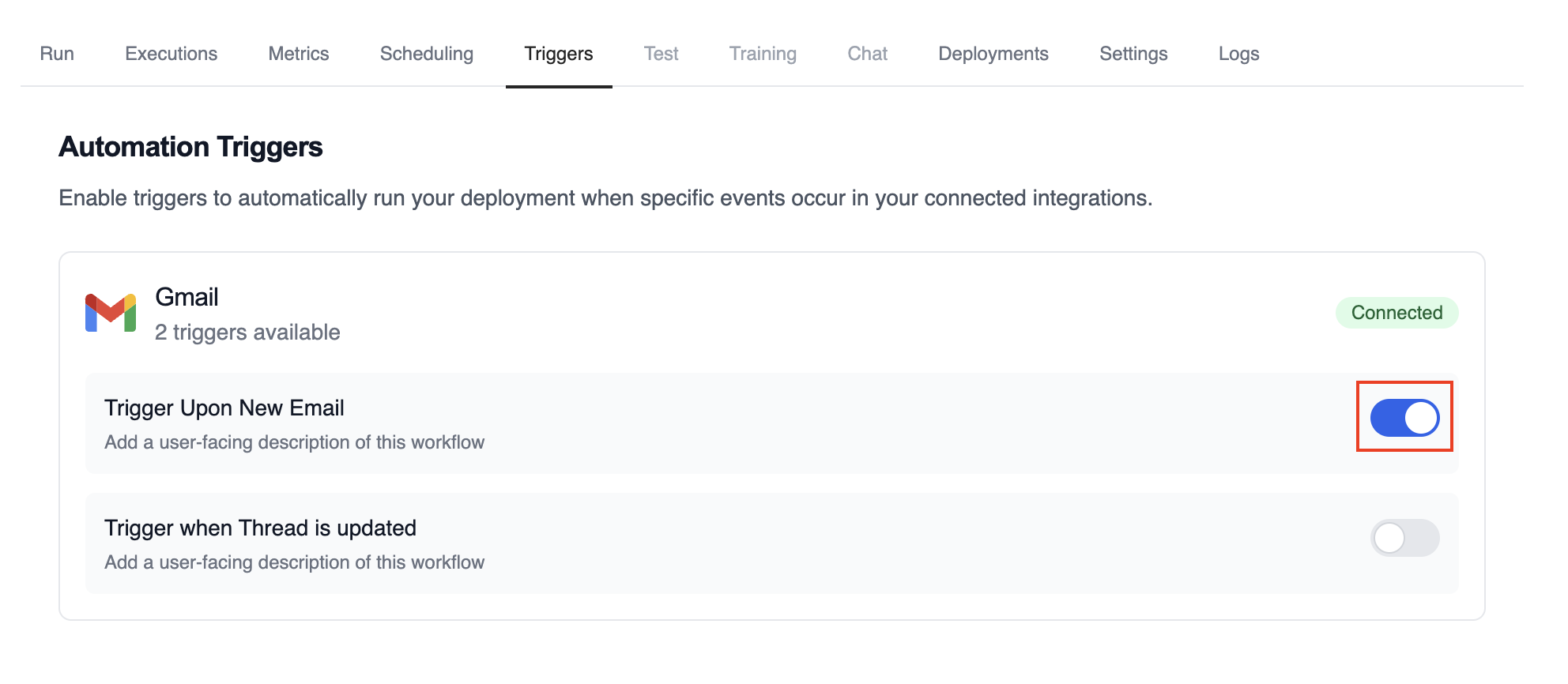
1. Open your deployment in CrewAI AMP
2. Go to the **Triggers** tab
3. Locate **Gmail** and switch the toggle to enable
 ## Example: Process new emails
When a new email arrives, the Gmail Trigger will send the payload to your Crew or Flow. Below is a Crew example that parses and processes the trigger payload.
```python theme={null}
@CrewBase
class GmailProcessingCrew:
@agent
def parser(self) -> Agent:
return Agent(
config=self.agents_config['parser'],
)
@task
def parse_gmail_payload(self) -> Task:
return Task(
config=self.tasks_config['parse_gmail_payload'],
agent=self.parser(),
)
@task
def act_on_email(self) -> Task:
return Task(
config=self.tasks_config['act_on_email'],
agent=self.parser(),
)
```
The Gmail payload will be available via the standard context mechanisms.
### Testing Locally
Test your Gmail trigger integration locally using the CrewAI CLI:
```bash theme={null}
# View all available triggers
crewai triggers list
# Simulate a Gmail trigger with realistic payload
crewai triggers run gmail/new_email_received
```
The `crewai triggers run` command will execute your crew with a complete Gmail payload, allowing you to test your parsing logic before deployment.
Use `crewai triggers run gmail/new_email_received` (not `crewai run`) to
simulate trigger execution during development. After deployment, your crew
will automatically receive the trigger payload.
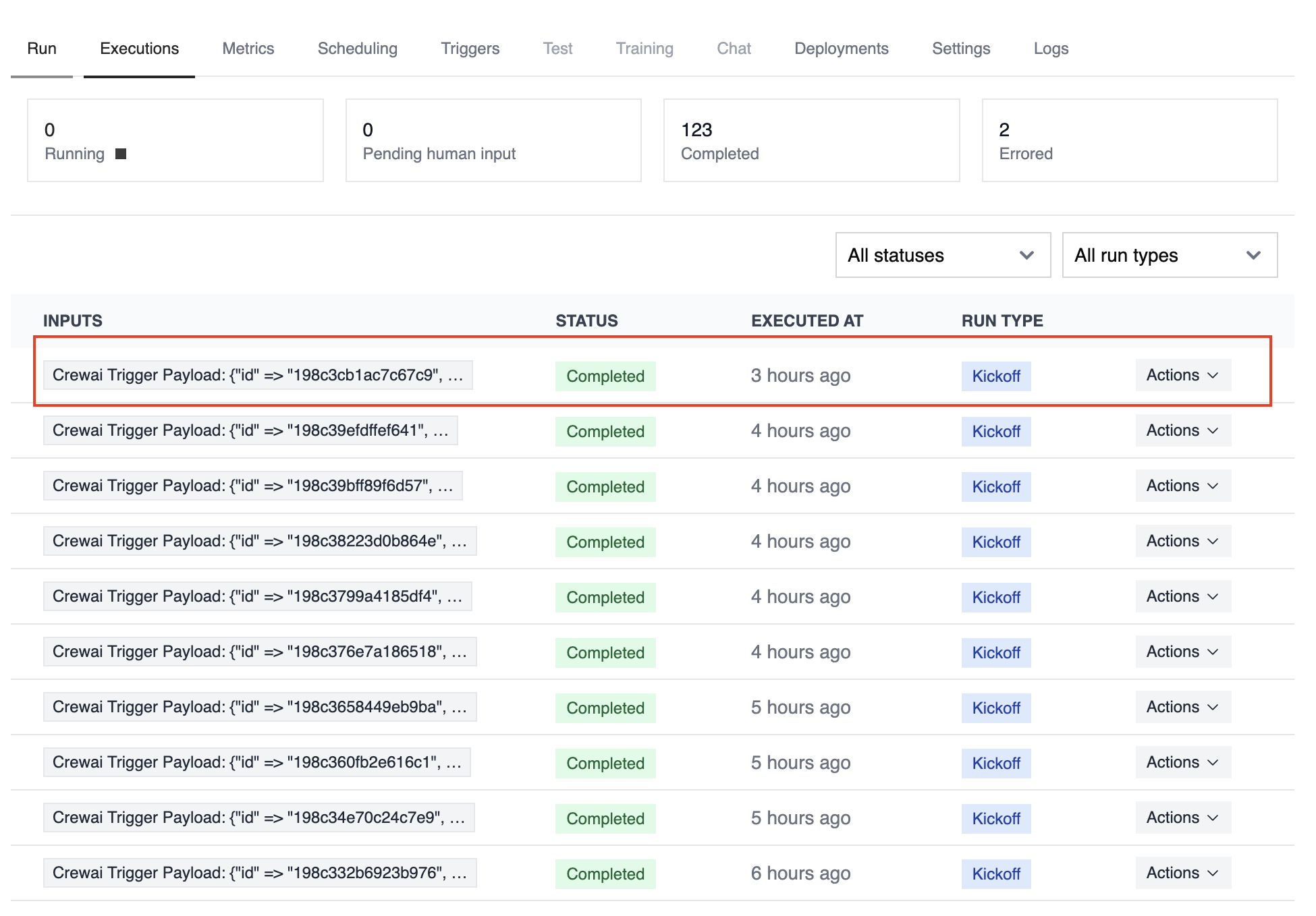
## Monitoring Executions
Track history and performance of triggered runs:
## Example: Process new emails
When a new email arrives, the Gmail Trigger will send the payload to your Crew or Flow. Below is a Crew example that parses and processes the trigger payload.
```python theme={null}
@CrewBase
class GmailProcessingCrew:
@agent
def parser(self) -> Agent:
return Agent(
config=self.agents_config['parser'],
)
@task
def parse_gmail_payload(self) -> Task:
return Task(
config=self.tasks_config['parse_gmail_payload'],
agent=self.parser(),
)
@task
def act_on_email(self) -> Task:
return Task(
config=self.tasks_config['act_on_email'],
agent=self.parser(),
)
```
The Gmail payload will be available via the standard context mechanisms.
### Testing Locally
Test your Gmail trigger integration locally using the CrewAI CLI:
```bash theme={null}
# View all available triggers
crewai triggers list
# Simulate a Gmail trigger with realistic payload
crewai triggers run gmail/new_email_received
```
The `crewai triggers run` command will execute your crew with a complete Gmail payload, allowing you to test your parsing logic before deployment.
Use `crewai triggers run gmail/new_email_received` (not `crewai run`) to
simulate trigger execution during development. After deployment, your crew
will automatically receive the trigger payload.
## Monitoring Executions
Track history and performance of triggered runs:
 ## Troubleshooting
* Ensure Gmail is connected in Tools & Integrations
* Verify the Gmail Trigger is enabled on the Triggers tab
* Test locally with `crewai triggers run gmail/new_email_received` to see the exact payload structure
* Check the execution logs and confirm the payload is passed as `crewai_trigger_payload`
* Remember: use `crewai triggers run` (not `crewai run`) to simulate trigger execution
## Troubleshooting
* Ensure Gmail is connected in Tools & Integrations
* Verify the Gmail Trigger is enabled on the Triggers tab
* Test locally with `crewai triggers run gmail/new_email_received` to see the exact payload structure
* Check the execution logs and confirm the payload is passed as `crewai_trigger_payload`
* Remember: use `crewai triggers run` (not `crewai run`) to simulate trigger execution