> ## Documentation Index
> Fetch the complete documentation index at: https://docs.crewai.com/llms.txt
> Use this file to discover all available pages before exploring further.
# CrewAI AMP
> Deploy, monitor, and scale your AI agent workflows
## Introduction
CrewAI AMP(Agent Management Platform) provides a platform for deploying, monitoring, and scaling your crews and agents in a production environment.
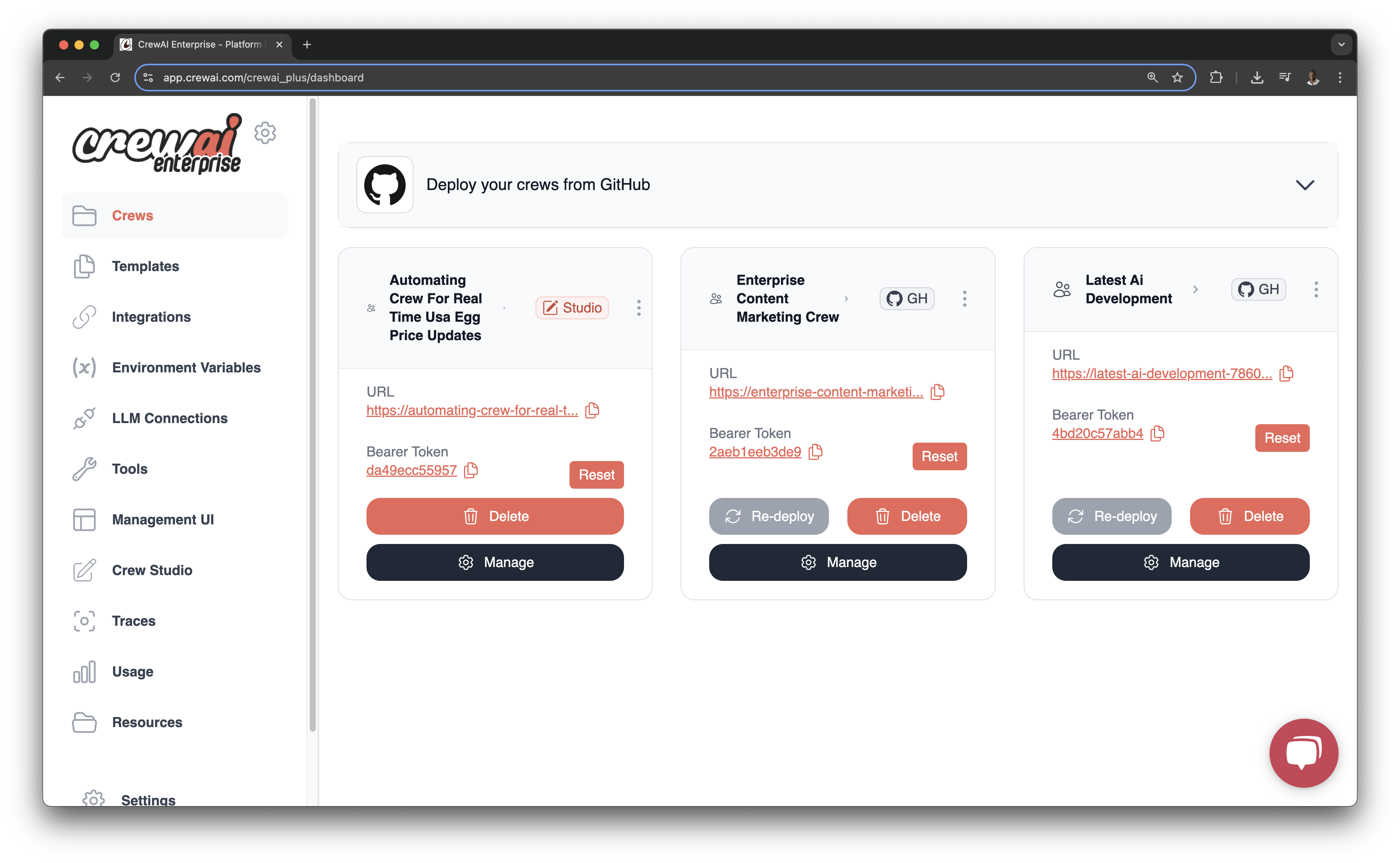 CrewAI AMP extends the power of the open-source framework with features designed for production deployments, collaboration, and scalability. Deploy your crews to a managed infrastructure and monitor their execution in real-time.
## Key Features
Deploy your crews to a managed infrastructure with a few clicks
Access your deployed crews via REST API for integration with existing
systems
Monitor your crews with detailed execution traces and logs
Publish and install tools to enhance your crews' capabilities
Stream real-time events and updates to your systems
Create and customize crews using a no-code/low-code interface
## Deployment Options
Connect directly to your GitHub repositories to deploy code
Deploy crews created through the no-code Crew Studio interface
Use the CrewAI CLI for more advanced deployment workflows
## Getting Started
Create your account at [app.crewai.com](https://app.crewai.com)
Sign Up
Use code or Crew Studio to build your crew
Build Crew
Deploy your crew to the Enterprise platform
Deploy Crew
Integrate with your crew via the generated API endpoints
Use the Crew API
For detailed instructions, check out our [deployment guide](/en/enterprise/guides/deploy-crew) or click the button below to get started.
CrewAI AMP extends the power of the open-source framework with features designed for production deployments, collaboration, and scalability. Deploy your crews to a managed infrastructure and monitor their execution in real-time.
## Key Features
Deploy your crews to a managed infrastructure with a few clicks
Access your deployed crews via REST API for integration with existing
systems
Monitor your crews with detailed execution traces and logs
Publish and install tools to enhance your crews' capabilities
Stream real-time events and updates to your systems
Create and customize crews using a no-code/low-code interface
## Deployment Options
Connect directly to your GitHub repositories to deploy code
Deploy crews created through the no-code Crew Studio interface
Use the CrewAI CLI for more advanced deployment workflows
## Getting Started
Create your account at [app.crewai.com](https://app.crewai.com)
Sign Up
Use code or Crew Studio to build your crew
Build Crew
Deploy your crew to the Enterprise platform
Deploy Crew
Integrate with your crew via the generated API endpoints
Use the Crew API
For detailed instructions, check out our [deployment guide](/en/enterprise/guides/deploy-crew) or click the button below to get started.