> ## Documentation Index
> Fetch the complete documentation index at: https://docs.crewai.com/llms.txt
> Use this file to discover all available pages before exploring further.
# Open Telemetry Logs
> Understand how to capture telemetry logs from your CrewAI AMP deployments
CrewAI AMP provides a powerful way to capture telemetry logs from your deployments. This allows you to monitor the performance of your agents and workflows, and to debug issues that may arise.
## Prerequisites
Your organization should have ENTERPRISE OTEL SETUP enabled
Your organization should have an OTEL collector setup or a provider like
Datadog log intake setup
## How to capture telemetry logs
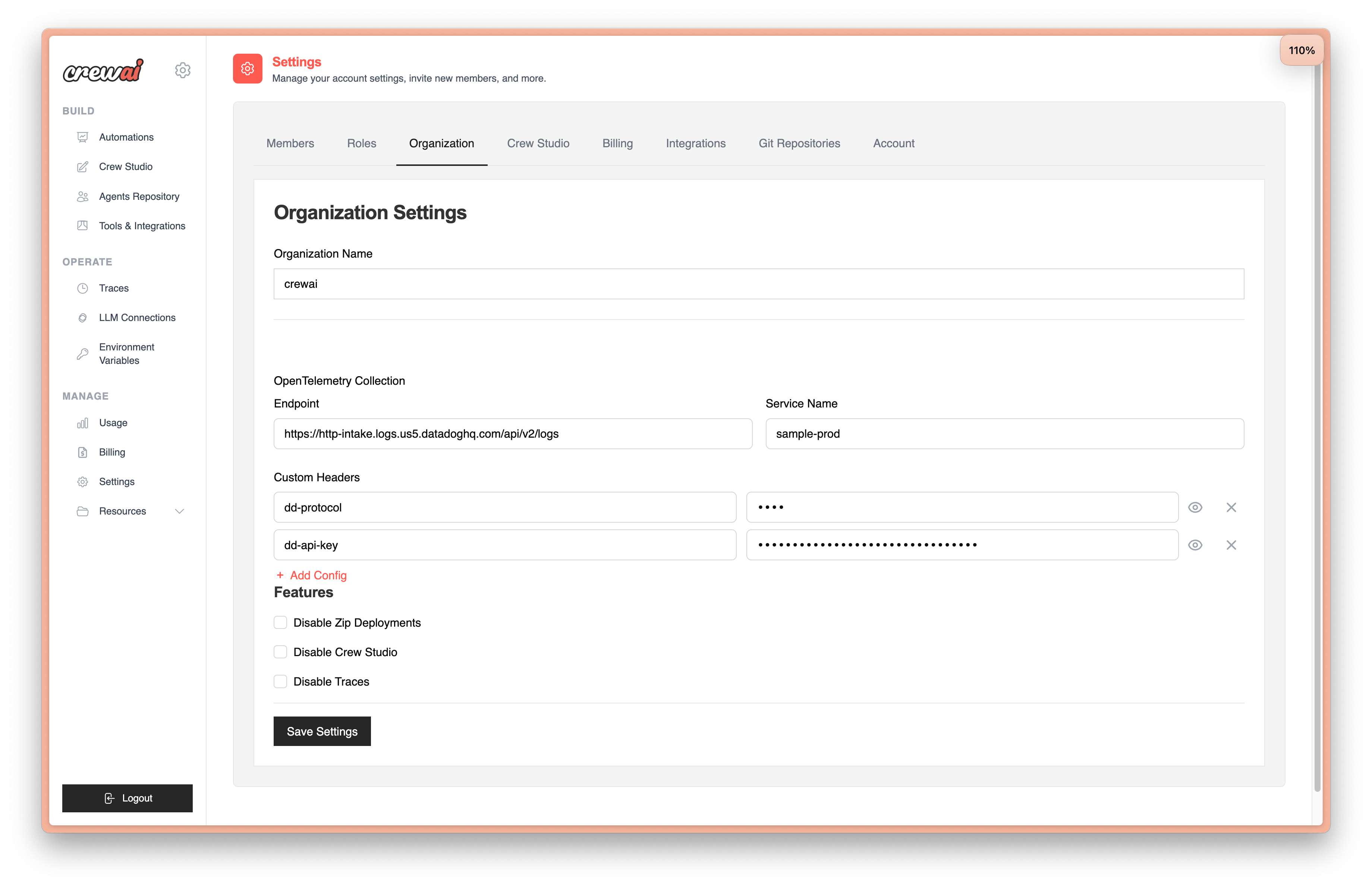
1. Go to settings/organization tab
2. Configure your OTEL collector setup
3. Save
Example to setup OTEL log collection capture to Datadog.