> ## Documentation Index
> Fetch the complete documentation index at: https://docs.crewai.com/llms.txt
> Use this file to discover all available pages before exploring further.
# 자동화
> 배포된 크루(자동화)를 한 곳에서 관리, 배포 및 모니터링하세요.
## 개요
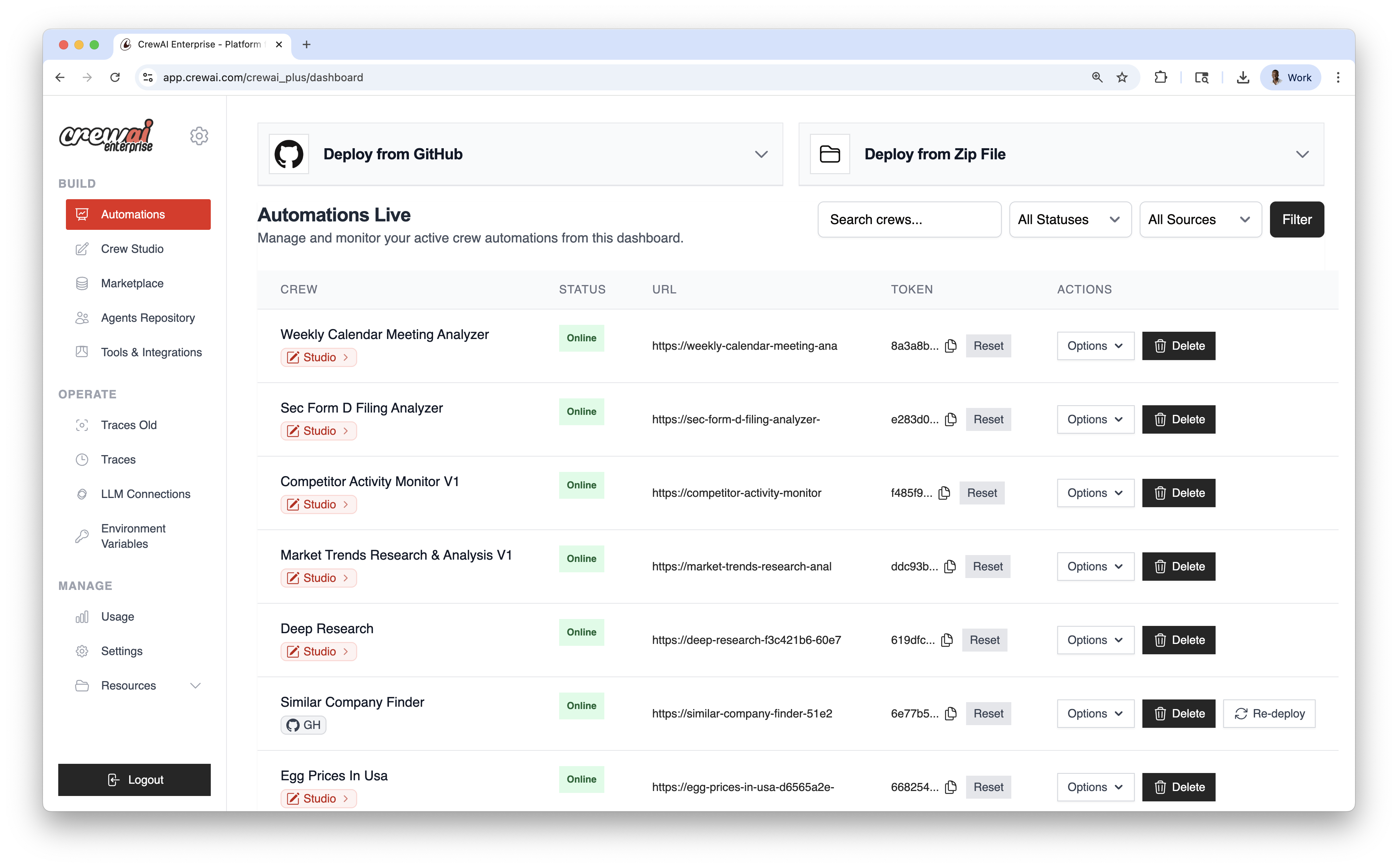
자동화는 배포된 크루를 운영하는 허브입니다. GitHub 또는 ZIP으로 배포하고, 환경 변수를 관리하고, 필요 시 재배포하며 각 자동화의 상태를 모니터링하세요.
 ## 배포 방법
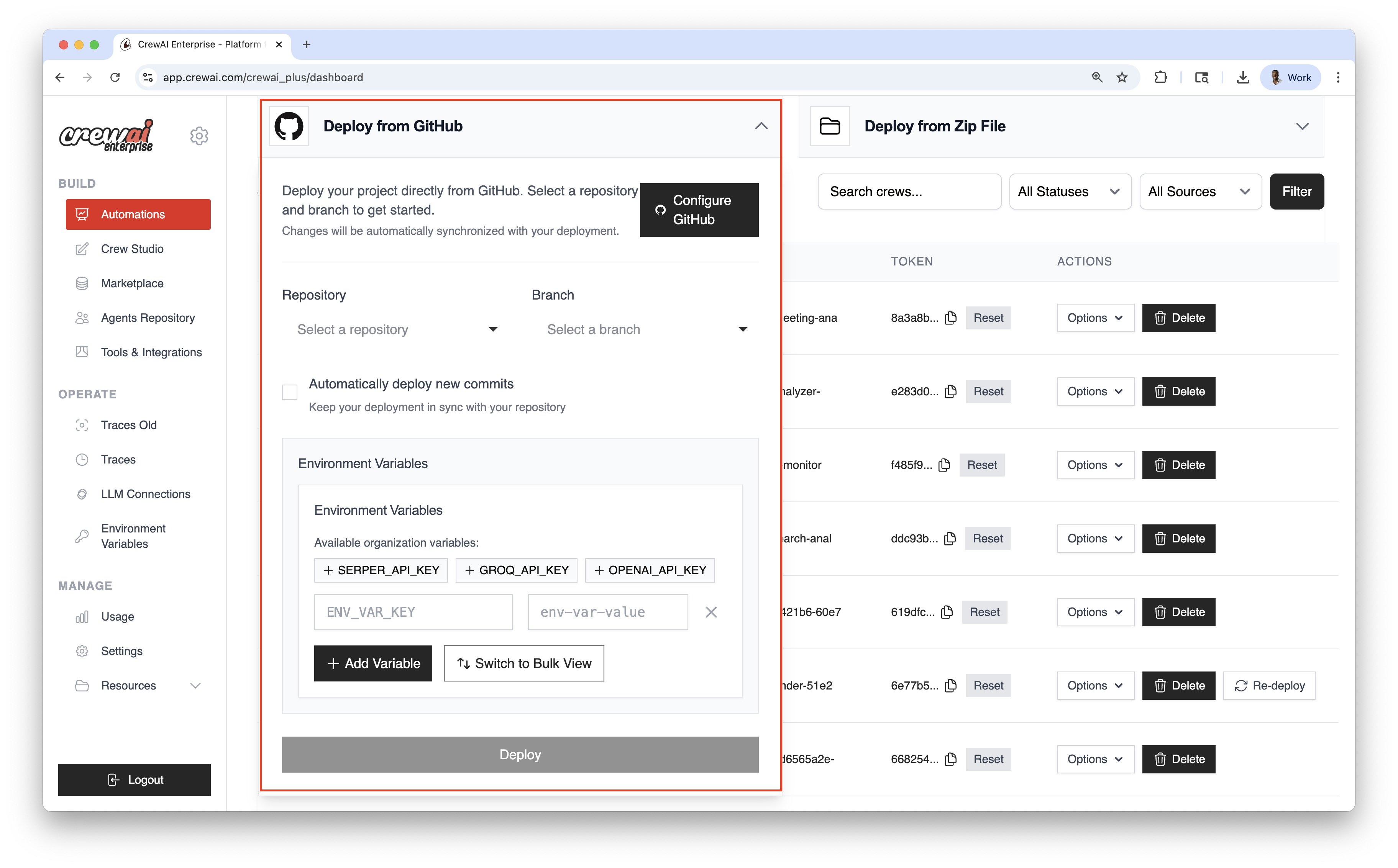
### GitHub로 배포
버전 관리 및 지속적 배포에 적합합니다.
Configure GitHub를 클릭하고 접근을 승인합니다.
배포할 리포지토리와 브랜치를 선택합니다.
Automatically deploy new commits를 켜면 푸시 시마다 자동 배포됩니다.
개별로 추가하거나 Bulk View를 사용해 여러 변수를 한 번에 추가합니다.
Deploy를 클릭해 라이브 자동화를 생성합니다.
## 배포 방법
### GitHub로 배포
버전 관리 및 지속적 배포에 적합합니다.
Configure GitHub를 클릭하고 접근을 승인합니다.
배포할 리포지토리와 브랜치를 선택합니다.
Automatically deploy new commits를 켜면 푸시 시마다 자동 배포됩니다.
개별로 추가하거나 Bulk View를 사용해 여러 변수를 한 번에 추가합니다.
Deploy를 클릭해 라이브 자동화를 생성합니다.
 ### ZIP으로 배포
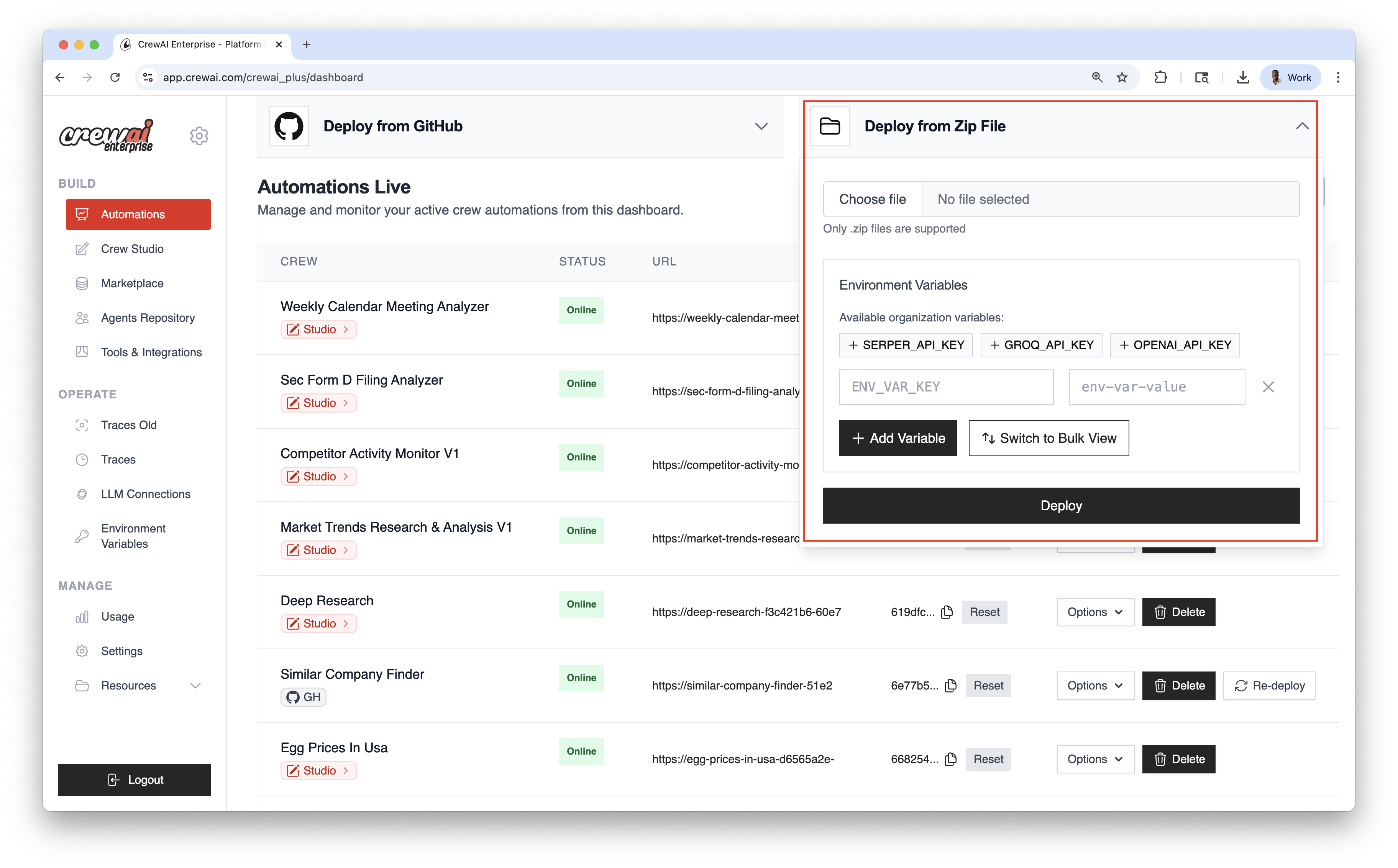
Git 없이 빠르게 배포 — 프로젝트 ZIP 패키지를 업로드하세요.
컴퓨터에서 ZIP 파일을 선택합니다.
필요한 변수를 제공합니다.
Deploy를 클릭해 라이브 자동화를 생성합니다.
### ZIP으로 배포
Git 없이 빠르게 배포 — 프로젝트 ZIP 패키지를 업로드하세요.
컴퓨터에서 ZIP 파일을 선택합니다.
필요한 변수를 제공합니다.
Deploy를 클릭해 라이브 자동화를 생성합니다.
 ## 자동화 대시보드
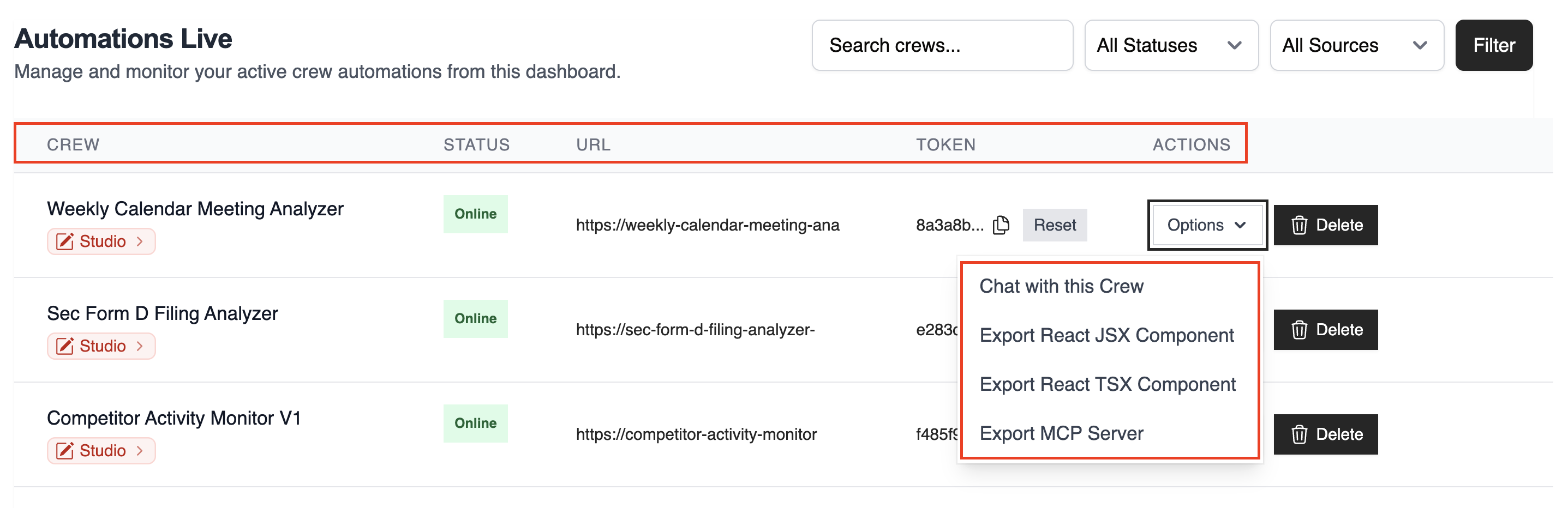
테이블에는 모든 라이브 자동화가 다음 정보와 함께 표시됩니다:
* **CREW**: 자동화 이름
* **STATUS**: Online / Failed / In Progress
* **URL**: kickoff/status 엔드포인트
* **TOKEN**: 자동화 토큰
* **ACTIONS**: 재배포, 삭제 등
우측 상단 컨트롤로 필터 및 검색:
* 이름으로 검색
* Status로 필터
* Source로 필터 (GitHub / Studio / ZIP)
배포 후 **Options** 드롭다운에서 `chat with this crew`, `Export React Component`, `Export as MCP`를 사용할 수 있습니다.
## 자동화 대시보드
테이블에는 모든 라이브 자동화가 다음 정보와 함께 표시됩니다:
* **CREW**: 자동화 이름
* **STATUS**: Online / Failed / In Progress
* **URL**: kickoff/status 엔드포인트
* **TOKEN**: 자동화 토큰
* **ACTIONS**: 재배포, 삭제 등
우측 상단 컨트롤로 필터 및 검색:
* 이름으로 검색
* Status로 필터
* Source로 필터 (GitHub / Studio / ZIP)
배포 후 **Options** 드롭다운에서 `chat with this crew`, `Export React Component`, `Export as MCP`를 사용할 수 있습니다.
 ## 모범 사례
* 버전 관리 및 CI/CD를 위해 GitHub 배포를 권장
* 코드/구성 변경 후 재배포 사용 또는 푸시마다 자동 배포 설정
## 관련 문서
GitHub 또는 ZIP 파일로 크루 배포
웹훅 또는 API로 자동화 트리거
실시간 이벤트/업데이트 스트리밍
## 모범 사례
* 버전 관리 및 CI/CD를 위해 GitHub 배포를 권장
* 코드/구성 변경 후 재배포 사용 또는 푸시마다 자동 배포 설정
## 관련 문서
GitHub 또는 ZIP 파일로 크루 배포
웹훅 또는 API로 자동화 트리거
실시간 이벤트/업데이트 스트리밍