
Explanation
How checkpointing works: events, storage, and inheritance.
Tutorial
A 5-minute walkthrough: run, interrupt, resume.
How-to guides
Task-focused recipes for common workflows.
Reference
CheckpointConfig, events, providers, and CLI.Explanation
What a checkpoint is
A checkpoint captures the state CrewAI needs to recreate a run mid-flight: the full state of the crew, flow, or agent — configuration, agent memory and knowledge sources, task progress, intermediate outputs, internal state and attributes — alongside the kickoff inputs, the event history up to that point, and a lineage ID that ties the checkpoint to the run it came from. Callbacks are saved only as references to named functions; see What a restore does not bring back. Restoring rebuilds that state and continues. Completed tasks are skipped, memory and knowledge are rehydrated, and downstream work runs against the same outputs the original run produced. Forking does the same restore under a new lineage, so the new branch and the original run can write checkpoints side by side without overwriting each other.When checkpoints are written
Checkpointing is event-driven. The runtime subscribes to events you select viaon_events and writes a checkpoint each time one fires. The default task_completed produces one checkpoint per finished task — a sensible tradeoff between granularity and disk use. Higher-frequency events like llm_call_completed are available for fine-grained recovery but write far more files.
Storage
Two providers ship with CrewAI:JsonProviderwrites one file per checkpoint. Human-readable and easy to inspect.SqliteProviderwrites to a single SQLite database. Better for high-frequency checkpointing.
max_checkpoints is set.
Auto-checkpoint writes (event-driven) are best-effort: a failed write is logged and the run continues. Manual
state.checkpoint() and state.acheckpoint() calls re-raise on failure.Inheritance model
Crew, Flow, and Agent all accept a checkpoint argument. Children inherit from their parent unless they set their own value or pass False to opt out. Enable checkpointing once on the crew and every agent participates, or selectively exclude one agent.
What a restore does not bring back
A restore builds the crew, flow, or agent from the checkpoint file, not from the object you callkickoff() on. crew.kickoff(from_checkpoint=...) runs the crew stored in the file, so callables you set on crew are not copied over.
A checkpoint saves a callback as the dotted path of a module-level function, such as "my_project.hooks.on_task_done", and imports it again on restore. A checkpoint is data, so CrewAI imports these paths only when the CREWAI_DESERIALIZE_CALLBACKS=1 environment variable is set. Without it, restoring a checkpoint that names a callback raises a ValueError. Set it only for checkpoint files you trust.
These are not saved and do not run after a restore:
- Lambdas, closures, bound methods such as
notifier.on_task_done,functools.partialobjects, and callable instances. CrewAI warnsA ... callback cannot be saved in a checkpointwhen you pass one to aTask,Agent,Crew, or tool; setting the attribute afterwards does not warn. A toolcache_functionof this kind is restored as one that never caches. - Callable guardrails. CrewAI warns when it writes the checkpoint. String guardrails are saved.
@before_kickoffand@after_kickoffhooks on a@CrewBaseclass.
Crew.from_checkpoint() and assign it again before kickoff():
Tutorial: Resume a failing crew
This walkthrough takes ~5 minutes. You will run a two-task crew, kill it midway, and resume from the saved checkpoint.1
Create the crew with checkpointing enabled
2
Run it and interrupt after the first task
Ctrl+C after the first task finishes. Look in ./.checkpoints/ — a file named <timestamp>_<uuid>.json is the checkpoint.3
Resume from the checkpoint
The resumed crew is built from the checkpoint file, not from
crew. If your tasks use callbacks, read What a restore does not bring back.How-to guides
Enable checkpointing with defaults
Enable checkpointing with defaults
./.checkpoints/ on every task_completed.Customize storage and frequency
Customize storage and frequency
Choose a storage provider
Choose a storage provider
Opt one agent out
Opt one agent out
Fork into a new branch
Fork into a new branch
fork() restores a checkpoint under a fresh lineage so the new run does not collide with the original.branch label is optional; one is generated if omitted.Checkpoint a Crew, Flow, or Agent
Checkpoint a Crew, Flow, or Agent
- Crew
- Flow
- Agent
task_completed.Write a checkpoint manually
Write a checkpoint manually
Register a handler on any event and call A
state.checkpoint().state argument is supplied automatically when the handler takes three parameters. See Event Listeners for the full event catalog.Browse, resume, and fork from the CLI
Browse, resume, and fork from the CLI
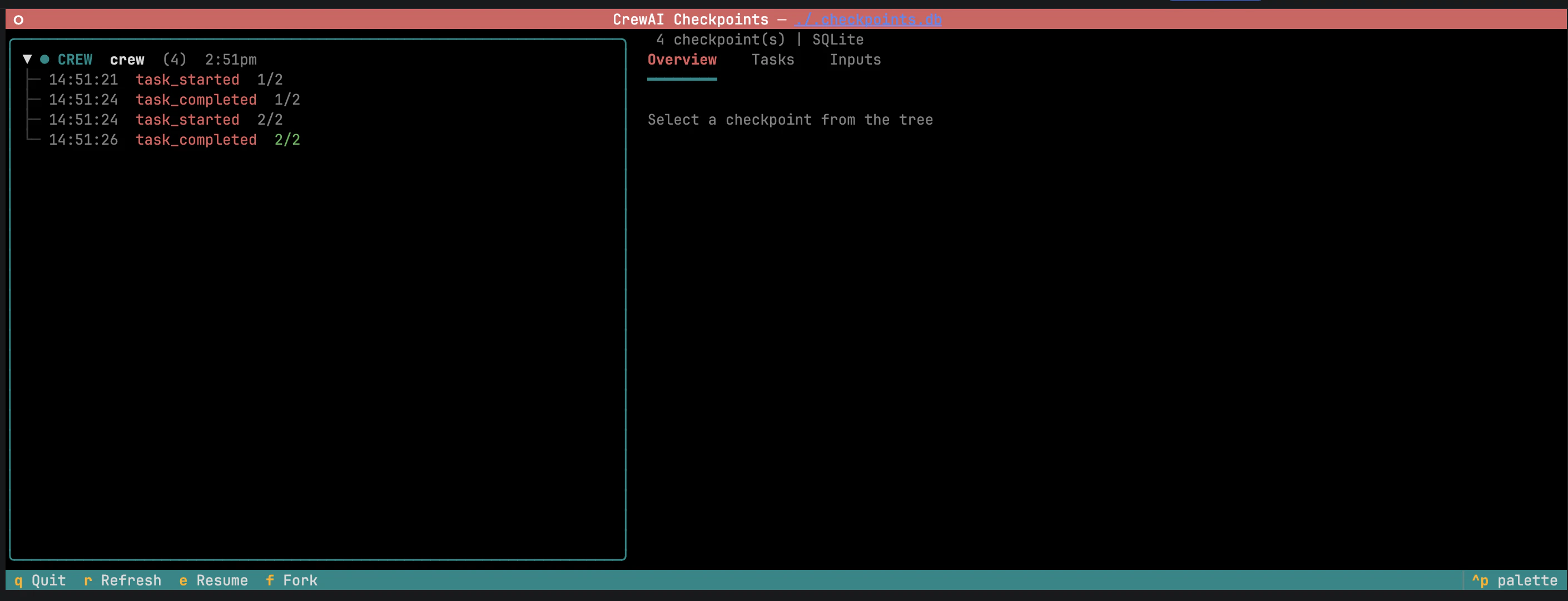
Checkpoint tree — branches and forks nest under their parent.
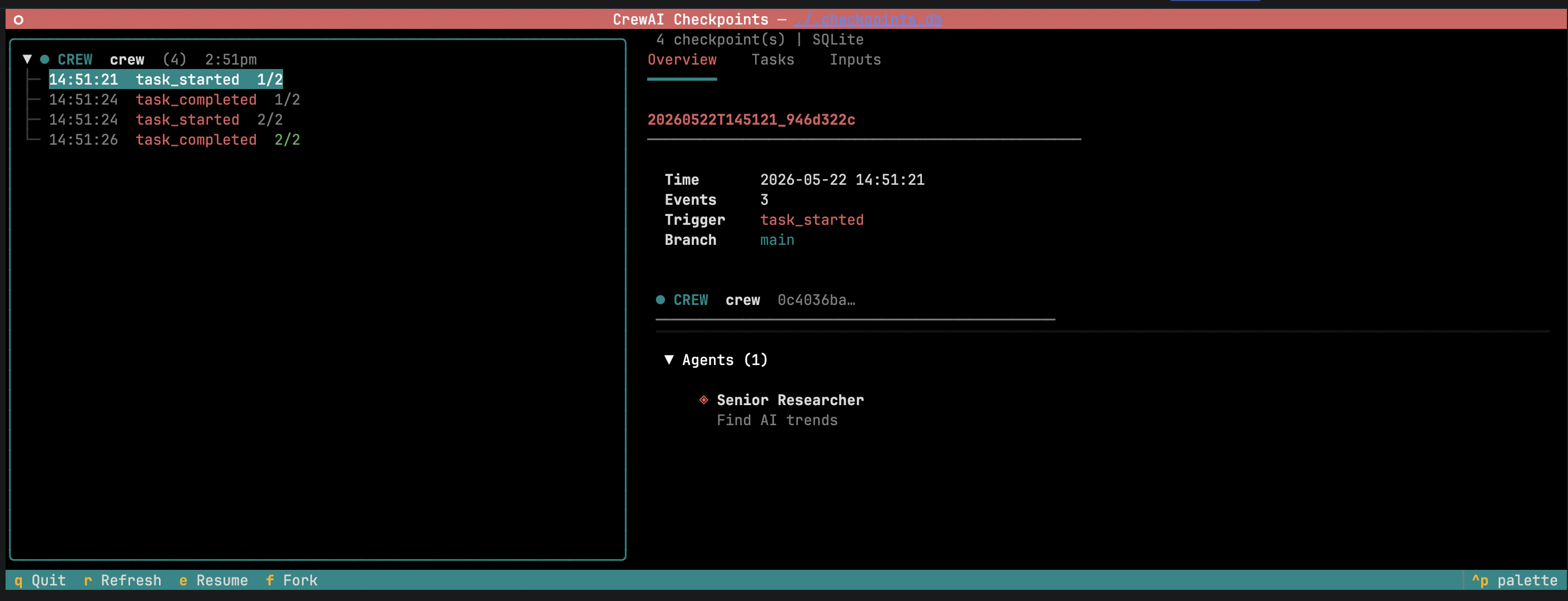
Overview tab — metadata, entity state, and run summary.
-
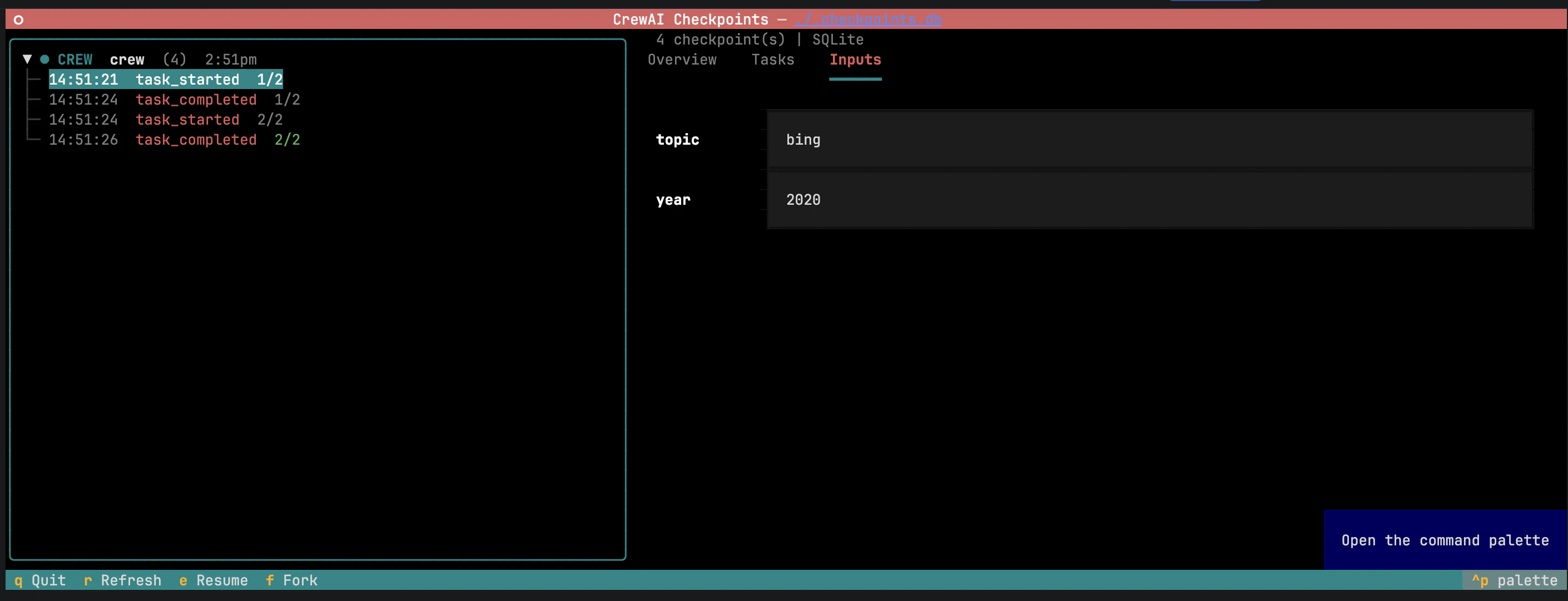
Inputs — original kickoff inputs, pre-filled and editable.
-
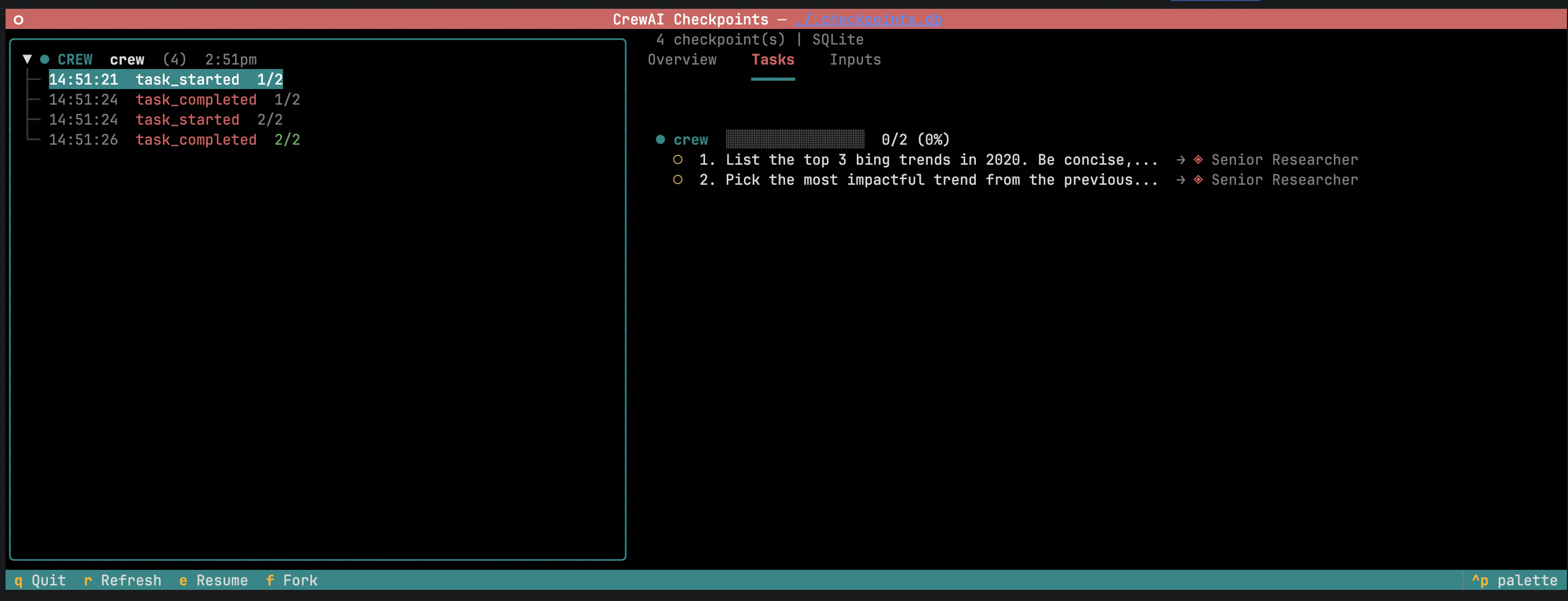
Task outputs — outputs of completed tasks. Editing an output and hitting Fork invalidates downstream tasks so they re-run against the modified context.
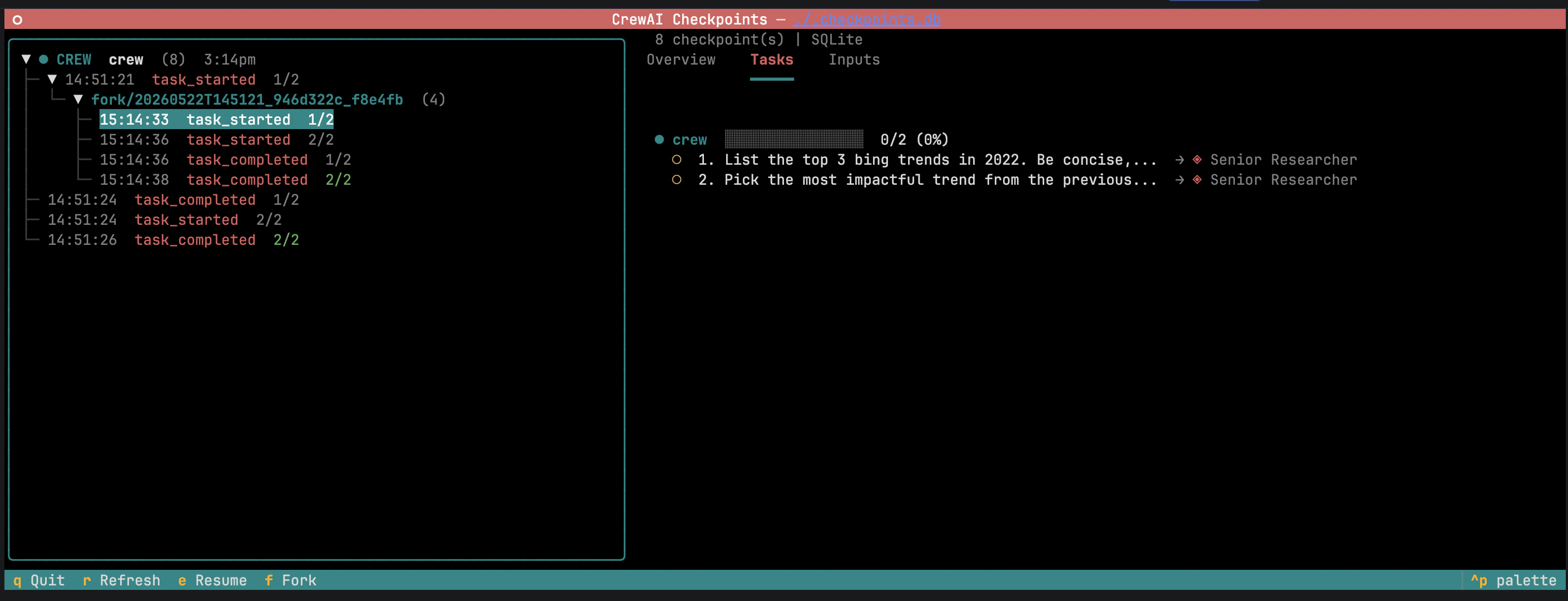
Fork view — confirm a new branch from the selected checkpoint.
Inspect checkpoints without the TUI
Inspect checkpoints without the TUI
Reference
CheckpointConfig
str
default:"\"./.checkpoints\""
Storage destination. A directory for
JsonProvider, a database file path for SqliteProvider.list[CheckpointEventType | Literal["*"]]
default:"[\"task_completed\"]"
Event types that trigger a checkpoint.
CheckpointEventType is a Literal — your type checker will autocomplete and reject unsupported values. See event types for the full list.BaseProvider
default:"JsonProvider()"
Storage backend. Either
JsonProvider or SqliteProvider.int | None
default:"None"
Maximum checkpoints to retain. Oldest are pruned after each write.
Path | str | None
default:"None"
Checkpoint to restore from when passed via
from_checkpoint.checkpoint field values
Accepted by Crew, Flow, and Agent.
default
Inherit from parent.
bool
Enable with defaults.
bool
Explicit opt-out. Stops inheritance.
CheckpointConfig
Custom configuration.
Event types
on_events accepts any combination of CheckpointEventType values. The default ["task_completed"] writes one checkpoint per finished task; ["*"] matches every event.
Storage providers
provider
One file per checkpoint, named
<timestamp>_<uuid>.json inside location.provider
Single database file at
location with WAL journaling.