
Overview of an Agent
In the CrewAI framework, anAgent is an autonomous unit that can:
- Perform specific tasks
- Make decisions based on its role and goal
- Use tools to accomplish objectives
- Communicate and collaborate with other agents
- Maintain memory of interactions
- Delegate tasks when allowed
CrewAI AMP includes a Visual Agent Builder that simplifies agent creation and configuration without writing code. Design your agents visually and test them in real-time.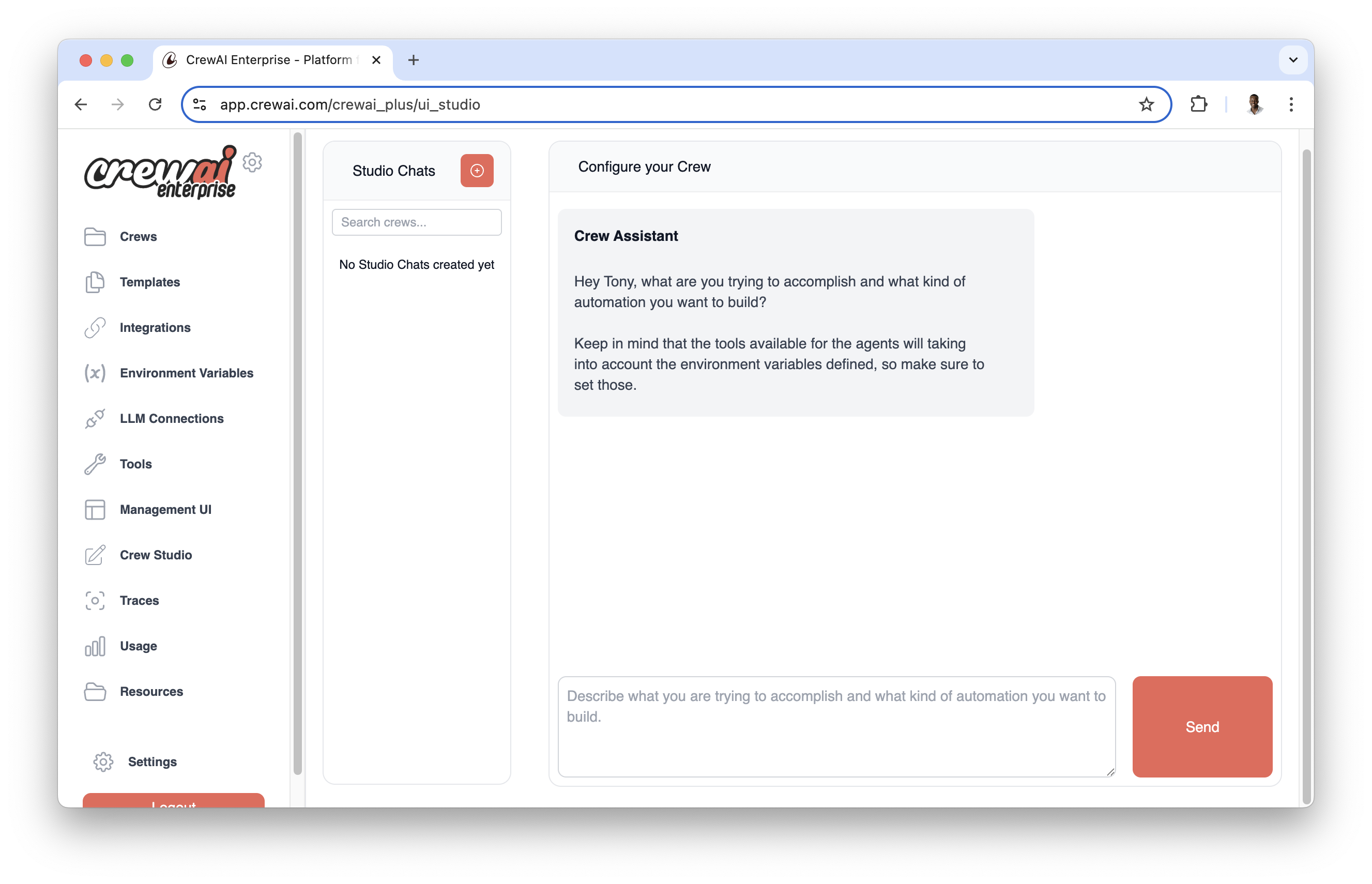
- Intuitive agent configuration with form-based interfaces
- Real-time testing and validation
- Template library with pre-configured agent types
- Easy customization of agent attributes and behaviors
Agent Attributes
Creating Agents
There are two common ways to create agents in CrewAI: using JSONC project configuration (recommended for new crews) or defining them directly in code.JSONC Configuration (Recommended)
New projects created withcrewai create crew <name> use JSON-first configuration. Each agent is defined in agents/<agent_name>.jsonc, and crew.jsonc lists which agents are part of the crew.
After creating your CrewAI project as outlined in the Installation section, edit the generated files in agents/.
Use
{placeholder} values in role, goal, or backstory. Put defaults in crew.jsonc under inputs; crewai run prompts for any missing values.agents/researcher.jsonc file:
agents/researcher.jsonc
crew.jsonc:
crew.jsonc
Agent field. Common fields include role, goal, backstory, llm, tools, function_calling_llm, guardrail, step_callback, and settings. Behavior options such as verbose, allow_delegation, max_iter, max_rpm, memory, cache, planning_config, and use_system_prompt can be placed at the top level or under settings; values in settings take precedence.
JSONC supports comments and trailing commas. If both
agents/<name>.jsonc and agents/<name>.json exist, CrewAI uses the JSONC file.Classic YAML Configuration
Classic projects created withcrewai create crew <name> --classic use config/agents.yaml and a @CrewBase class in crew.py. This remains supported for teams that want Python decorators or existing YAML projects.
Direct Code Definition
You can create agents directly in code by instantiating theAgent class. Here’s a comprehensive example showing all available parameters:
Code
Basic Research Agent
Code
Code Development Agent
Code
Long-Running Analysis Agent
Code
Custom Template Agent
Code
Date-Aware Agent with Reasoning
Code
Reasoning Agent
Code
Multimodal Agent
Code
Parameter Details
Critical Parameters
role,goal, andbackstoryare required and shape the agent’s behaviorllmdetermines the language model used (default: OpenAI’s GPT-4)
Memory and Context
memory: Enable to maintain conversation historyrespect_context_window: Prevents token limit issuesknowledge_sources: Add domain-specific knowledge bases
Execution Control
max_iter: Maximum attempts before giving best answermax_execution_time: Timeout in secondsmax_rpm: Rate limiting for API callsmax_retry_limit: Retries on error
Code Execution
allow_code_execution(deprecated): Previously enabled built-in code execution viaCodeInterpreterTool.code_execution_mode(deprecated): Previously controlled execution mode ("safe"for Docker,"unsafe"for direct execution).
Advanced Features
multimodal: Enable multimodal capabilities for processing text and visual contentreasoning: Enable agent to reflect and create plans before executing tasksinject_date: Automatically inject current date into the agents prompt
Templates
system_template: Defines agent’s core behaviorprompt_template: Structures input formatresponse_template: Formats agent responses
When using custom templates, ensure that both
system_template and
prompt_template are defined. The response_template is optional but
recommended for consistent output formatting.When using custom templates, you can use variables like
{role}, {goal},
and {backstory} in your templates. These will be automatically populated
during execution.Agent Tools
Agents can be equipped with various tools to enhance their capabilities. CrewAI supports tools from: Here’s how to add tools to an agent:Code
Agent Memory and Context
Agents can maintain memory of their interactions and use context from previous tasks. This is particularly useful for complex workflows where information needs to be retained across multiple tasks.Code
When
memory is enabled, the agent will maintain context across multiple
interactions, improving its ability to handle complex, multi-step tasks.Context Window Management
CrewAI includes sophisticated automatic context window management to handle situations where conversations exceed the language model’s token limits. This powerful feature is controlled by therespect_context_window parameter.
How Context Window Management Works
When an agent’s conversation history grows too large for the LLM’s context window, CrewAI automatically detects this situation and can either:- Automatically summarize content (when
respect_context_window=True) - Stop execution with an error (when
respect_context_window=False)
Automatic Context Handling (respect_context_window=True)
This is the default and recommended setting for most use cases. When enabled, CrewAI will:
Code
- ⚠️ Warning message:
"Context length exceeded. Summarizing content to fit the model context window." - 🔄 Automatic summarization: CrewAI intelligently summarizes the conversation history
- ✅ Continued execution: Task execution continues seamlessly with the summarized context
- 📝 Preserved information: Key information is retained while reducing token count
Strict Context Limits (respect_context_window=False)
When you need precise control and prefer execution to stop rather than lose any information:
Code
- ❌ Error message:
"Context length exceeded. Consider using smaller text or RAG tools from crewai_tools." - 🛑 Execution stops: Task execution halts immediately
- 🔧 Manual intervention required: You need to modify your approach
Choosing the Right Setting
Use respect_context_window=True (Default) when:
- Processing large documents that might exceed context limits
- Long-running conversations where some summarization is acceptable
- Research tasks where general context is more important than exact details
- Prototyping and development where you want robust execution
Code
Use respect_context_window=False when:
- Precision is critical and information loss is unacceptable
- Legal or medical tasks requiring complete context
- Code review where missing details could introduce bugs
- Financial analysis where accuracy is paramount
Code
Alternative Approaches for Large Data
When dealing with very large datasets, consider these strategies:1. Use RAG Tools
Code
2. Use Knowledge Sources
Code
Context Window Best Practices
- Monitor Context Usage: Enable
verbose=Trueto see context management in action - Design for Efficiency: Structure tasks to minimize context accumulation
- Use Appropriate Models: Choose LLMs with context windows suitable for your tasks
- Test Both Settings: Try both
TrueandFalseto see which works better for your use case - Combine with RAG: Use RAG tools for very large datasets instead of relying solely on context windows
Troubleshooting Context Issues
If you’re getting context limit errors:Code
Code
The context window management feature works automatically in the background.
You don’t need to call any special functions - just set
respect_context_window to your preferred behavior and CrewAI handles the
rest!Direct Agent Interaction with kickoff()
Agents can be used directly without going through a task or crew workflow using the kickoff() method. This provides a simpler way to interact with an agent when you don’t need the full crew orchestration capabilities.
How kickoff() Works
The kickoff() method allows you to send messages directly to an agent and get a response, similar to how you would interact with an LLM but with all the agent’s capabilities (tools, reasoning, etc.).
Code
Parameters and Return Values
The method returns a
LiteAgentOutput object with the following properties:
raw: String containing the raw output textpydantic: Parsed Pydantic model (if aresponse_formatwas provided)agent_role: Role of the agent that produced the outputusage_metrics: Token usage metrics for the execution
Structured Output
You can get structured output by providing a Pydantic model as theresponse_format:
Code
Multiple Messages
You can also provide a conversation history as a list of message dictionaries:Code
user message is the request the agent answers. Every other message
keeps its role and its position around that request, so a conversation that
ends in assistant or tool messages still asks the user’s question and still
delivers those trailing turns after it. With no user message at all, the last
message is treated as the request.
Async Support
An asynchronous version is available viakickoff_async() with the same parameters:
Code
The
kickoff() method uses a LiteAgent internally, which provides a simpler
execution flow while preserving all of the agent’s configuration (role, goal,
backstory, tools, etc.).Important Considerations and Best Practices
Security and Code Execution
Performance Optimization
- Use
respect_context_window: trueto prevent token limit issues - Set appropriate
max_rpmto avoid rate limiting - Enable
cache: trueto improve performance for repetitive tasks - Adjust
max_iterandmax_retry_limitbased on task complexity
Memory and Context Management
- Leverage
knowledge_sourcesfor domain-specific information - Configure
embedderwhen using custom embedding models - Use custom templates (
system_template,prompt_template,response_template) for fine-grained control over agent behavior
Advanced Features
- Enable
reasoning: truefor agents that need to plan and reflect before executing complex tasks - Set appropriate
max_reasoning_attemptsto control planning iterations (None for unlimited attempts) - Use
inject_date: trueto provide agents with current date awareness for time-sensitive tasks - Customize the date format with
date_formatusing standard Python datetime format codes - Enable
multimodal: truefor agents that need to process both text and visual content
Agent Collaboration
- Enable
allow_delegation: truewhen agents need to work together - Use
step_callbackto monitor and log agent interactions - Consider using different LLMs for different purposes:
- Main
llmfor complex reasoning function_calling_llmfor efficient tool usage
- Main
Date Awareness and Reasoning
- Use
inject_date: trueto provide agents with current date awareness for time-sensitive tasks - Customize the date format with
date_formatusing standard Python datetime format codes - Valid format codes include: %Y (year), %m (month), %d (day), %B (full month name), etc.
- Invalid date formats will be logged as warnings and will not modify the task description
- Enable
reasoning: truefor complex tasks that benefit from upfront planning and reflection
Model Compatibility
- Set
use_system_prompt: falsefor older models that don’t support system messages - Ensure your chosen
llmsupports the features you need (like function calling)
Troubleshooting Common Issues
-
Rate Limiting: If you’re hitting API rate limits:
- Implement appropriate
max_rpm - Use caching for repetitive operations
- Consider batching requests
- Implement appropriate
-
Context Window Errors: If you’re exceeding context limits:
- Enable
respect_context_window - Use more efficient prompts
- Clear agent memory periodically
- Enable
-
Code Execution Issues: If code execution fails:
- Verify Docker is installed for safe mode
- Check execution permissions
- Review code sandbox settings
-
Memory Issues: If agent responses seem inconsistent:
- Check knowledge source configuration
- Review conversation history management