
Overview
On the Studio canvas, each step of work is represented by a single card. The card combines two things that used to live in separate nodes:- The task — what to do (name, description, expected output, and response format).
- The agent — who does it (the assigned agent, its model, and its tools).
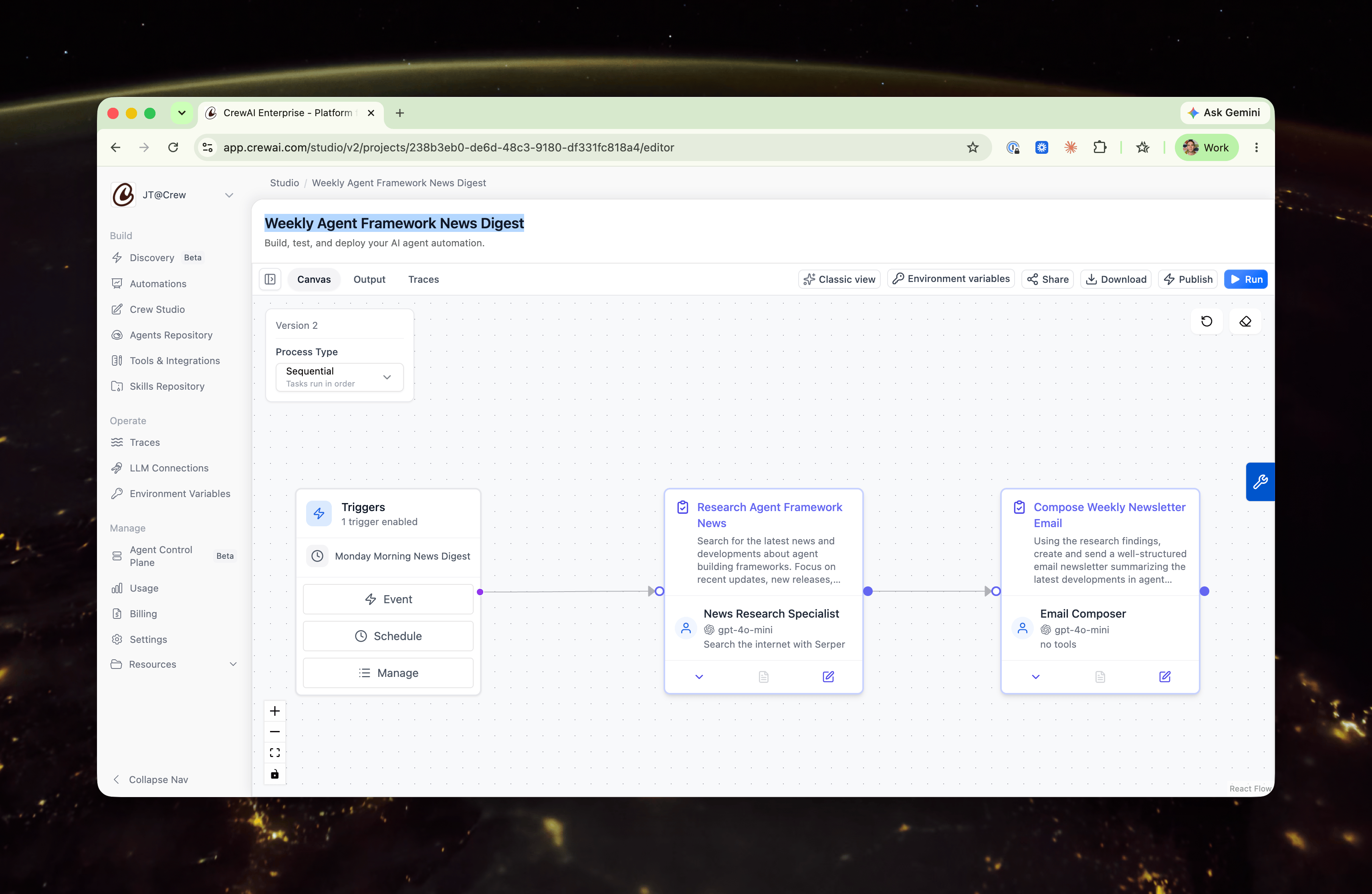
On the canvas
Each collapsed card shows:- The task name and description at the top.
- A footer summarizing the assigned agent — avatar, name, model, and tools.
In the editor
Open a card to edit it. The expanded view is the same card in a detailed state — not a different screen — organized into two clearly labeled sections.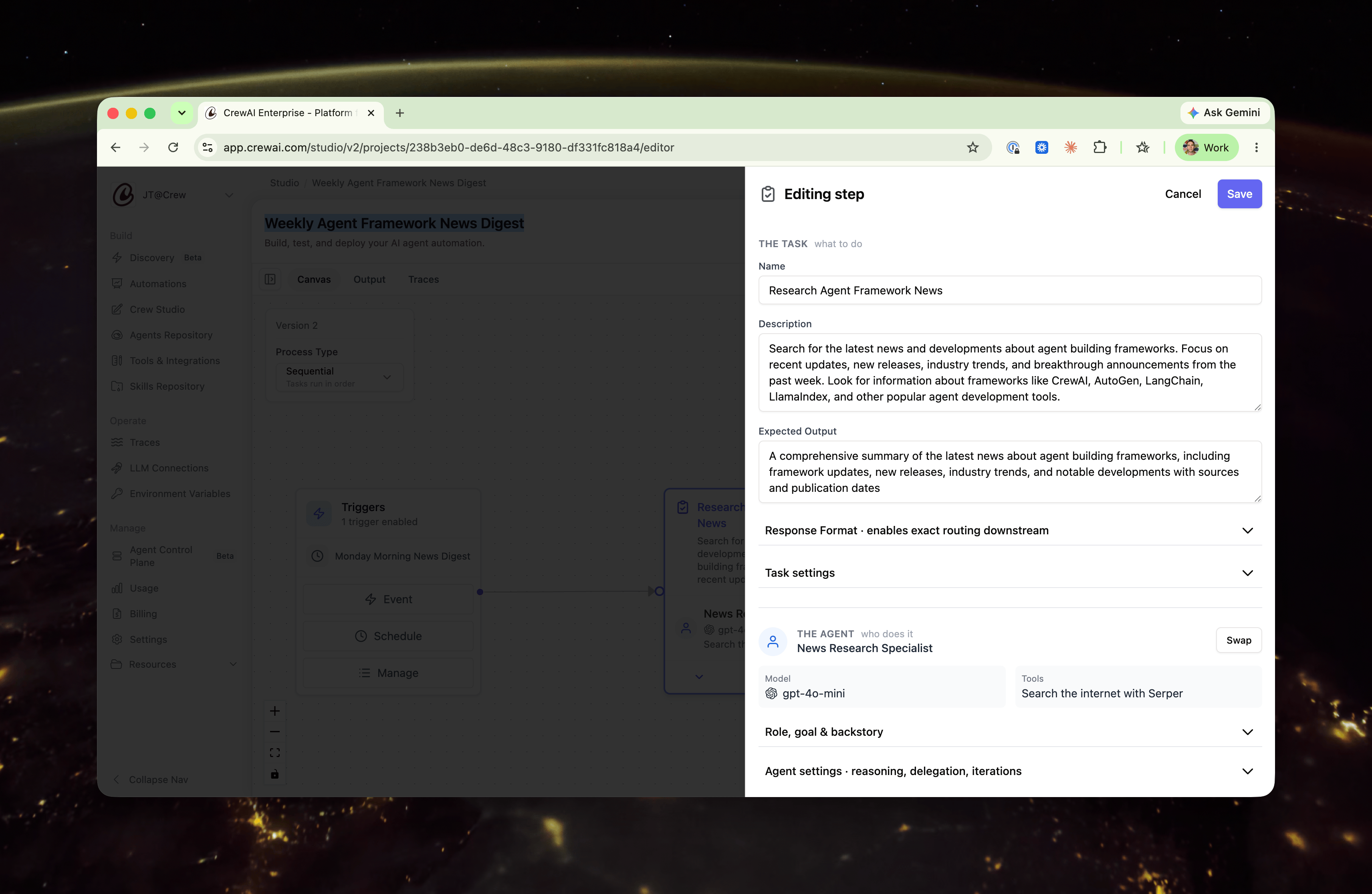
The task — what to do
Open by default, since this is what you usually edit:- Name
- Description
- Expected Output
- Response Format — surfaced here because it controls exactly what downstream steps (such as routing) read from this step.
The agent — who does it
The assigned agent is shown as a summary — name, model, and tools inline. Its deeper configuration is preserved behind two disclosures:- Role, goal & backstory
- Agent settings — reasoning, max reasoning attempts, allow delegation, max iterations, and LLM settings.
Swapping vs. editing the agent
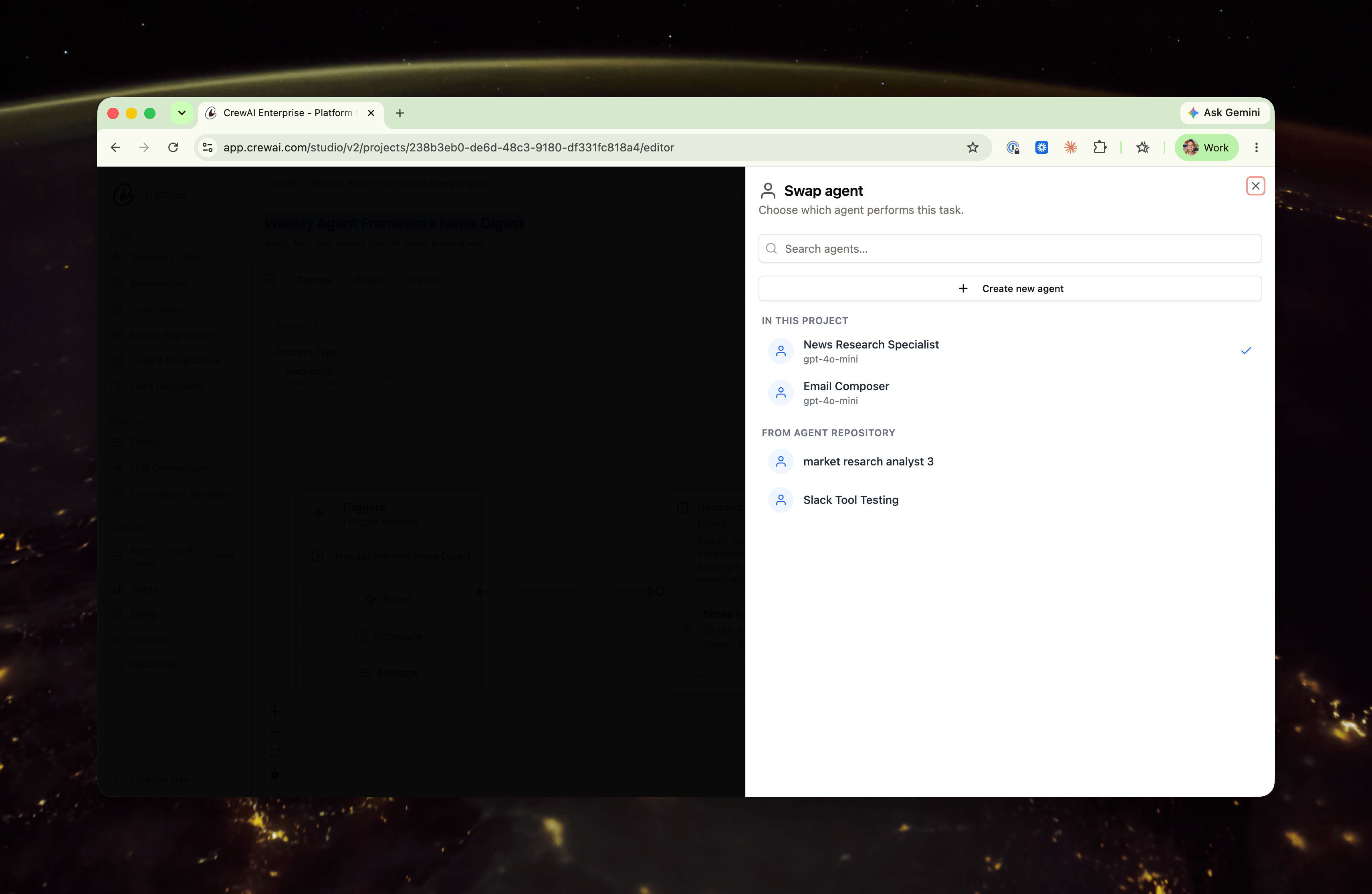
There are two distinct ways to work with the agent on a card, and they do different things:- Swap reassigns which agent performs this task. Use the Swap control to pick a different agent from this project, choose one from your Agent Repository, or create a new agent. This is scoped to the task.
- Editing the agent — opening Role, goal & backstory or Agent settings — changes the agent itself.
Related
Crew Studio
Build automations with AI assistance and a visual editor.
Agent Repositories
Manage and reuse agents across your automations.