
نظرة عامة على OpenLIT
OpenLIT هو أداة مفتوحة المصدر تجعل من السهل مراقبة أداء وكلاء الذكاء الاصطناعي ونماذج LLM وقواعد بيانات المتجهات ووحدات GPU بسطر واحد فقط من الكود. يوفر تتبعاً ومقاييس أصلية لـ OpenTelemetry لتتبع المعلمات المهمة مثل التكلفة وزمن الاستجابة والتفاعلات وتسلسل المهام. يمكّنك هذا الإعداد من تتبع المعلمات الفائقة ومراقبة مشكلات الأداء، مما يساعدك في إيجاد طرق لتحسين وضبط وكلائك بمرور الوقت.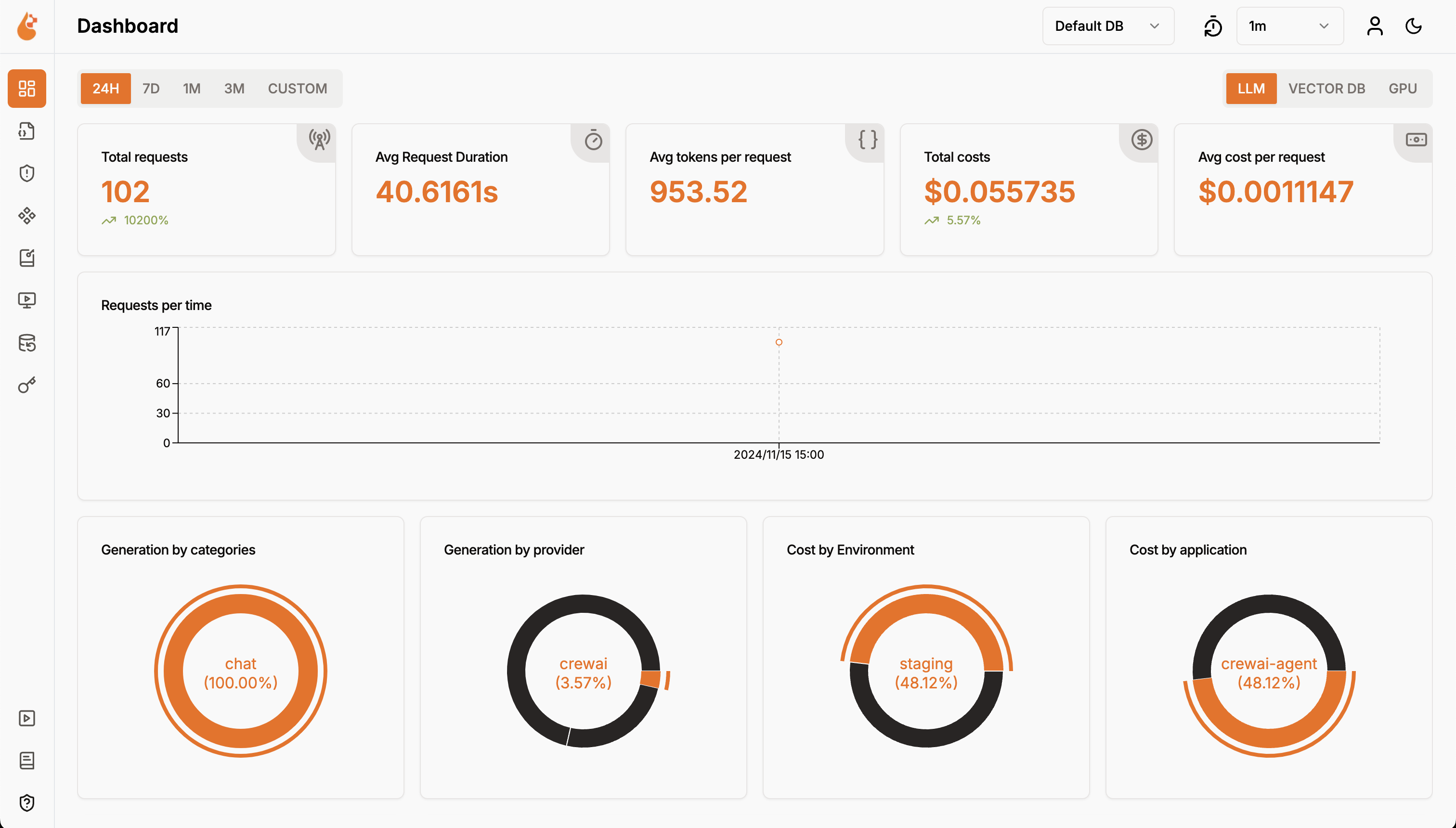
الميزات
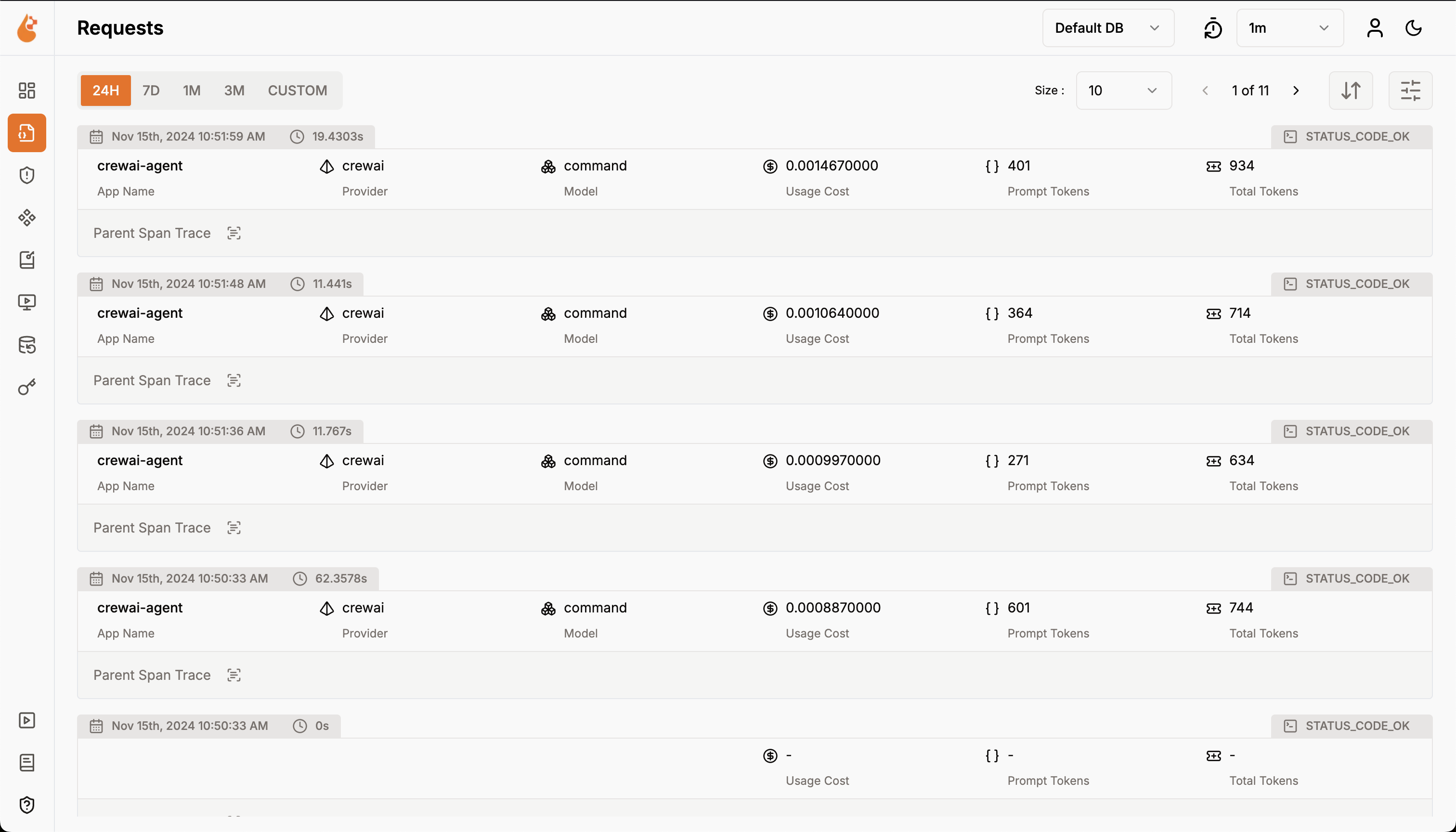
- لوحة معلومات التحليلات: راقب صحة وأداء وكلائك من خلال لوحات معلومات تفصيلية تتتبع المقاييس والتكاليف وتفاعلات المستخدمين.
- SDK مراقبة أصلي لـ OpenTelemetry: حزم SDK محايدة للمورد لإرسال التتبعات والمقاييس إلى أدوات المراقبة الحالية مثل Grafana وDataDog وغيرها.
- تتبع التكاليف للنماذج المخصصة والمعدّلة: خصّص تقديرات التكلفة لنماذج محددة باستخدام ملفات تسعير مخصصة لوضع ميزانية دقيقة.
- لوحة مراقبة الاستثناءات: اكتشف وحل المشكلات بسرعة من خلال تتبع الاستثناءات والأخطاء الشائعة بلوحة مراقبة.
- الامتثال والأمان: اكتشف التهديدات المحتملة مثل الألفاظ البذيئة وتسريبات المعلومات الشخصية.
- كشف حقن الموجهات: حدد حقن الكود المحتمل وتسريبات الأسرار.
- إدارة مفاتيح API والأسرار: تعامل مع مفاتيح API لنماذج LLM وأسرارك مركزياً بأمان، مع تجنب الممارسات غير الآمنة.
- إدارة الموجهات: أدر وأصدر موجهات الوكلاء باستخدام PromptHub للوصول المتسق والسهل عبر الوكلاء.
- ساحة تجربة النماذج: اختبر وقارن نماذج مختلفة لوكلاء CrewAI قبل النشر.
تعليمات الإعداد
نشر OpenLIT
بدء Docker Compose
من المجلد الجذري لـ مستودع OpenLIT، شغّل الأمر التالي:
تهيئة OpenLIT في تطبيقك
أضف السطرين التاليين إلى كود تطبيقك:مثال على الاستخدام لمراقبة وكيل CrewAI:راجع مستودع Python SDK الخاص بـ OpenLIT لمزيد من الإعدادات المتقدمة وحالات الاستخدام.
- الإعداد باستخدام معاملات الدالة
- الإعداد باستخدام متغيرات البيئة
العرض والتحليل
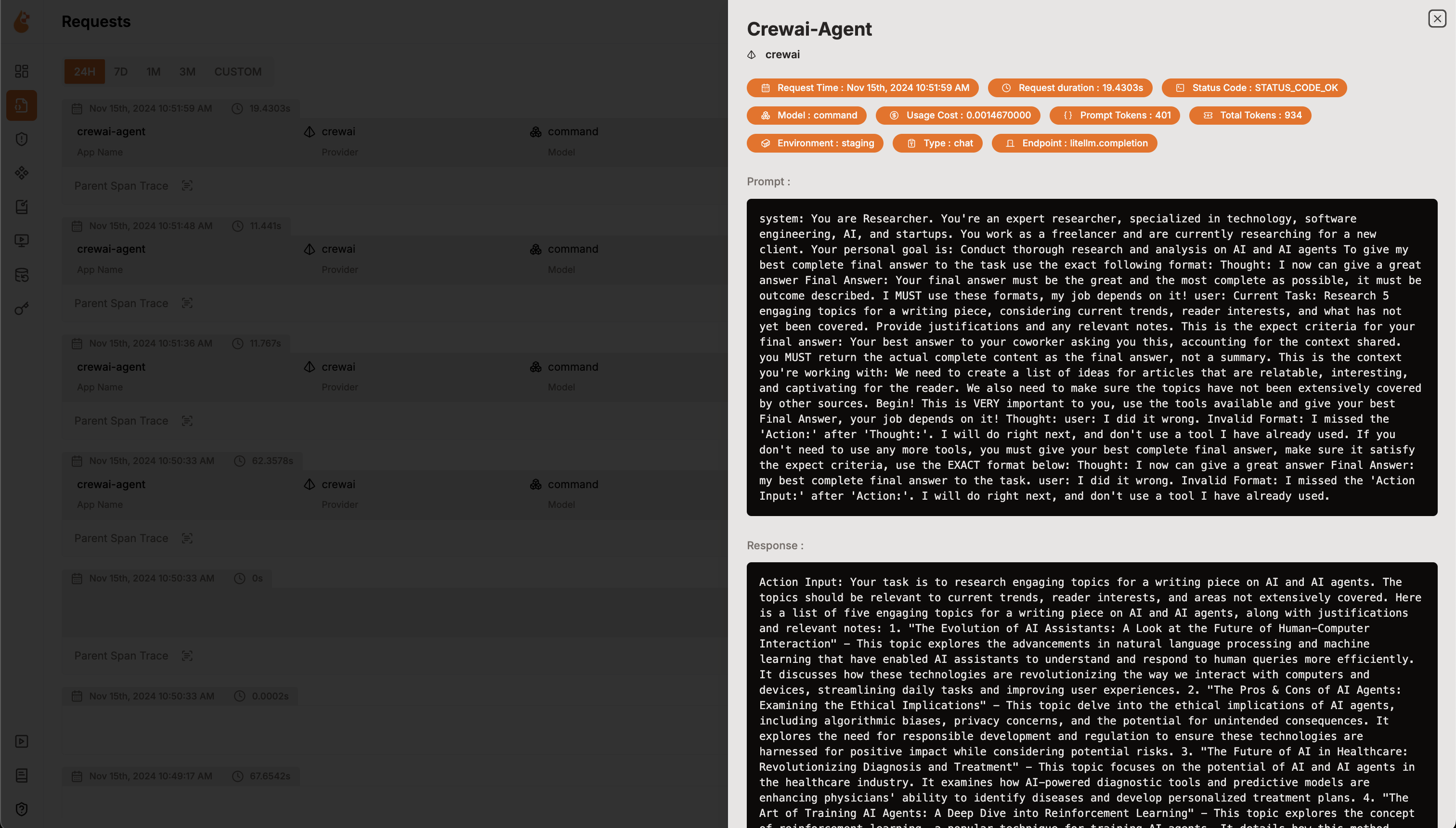
مع جمع بيانات مراقبة الوكلاء وإرسالها إلى OpenLIT، الخطوة التالية هي عرض وتحليل هذه البيانات للحصول على رؤى حول أداء وكيلك وسلوكه وتحديد مجالات التحسين.ما عليك سوى التوجه إلى OpenLIT على
127.0.0.1:3000 في متصفحك لبدء الاستكشاف. يمكنك تسجيل الدخول باستخدام بيانات الاعتماد الافتراضية- البريد الإلكتروني:
user@openlit.io - كلمة المرور:
openlituser