
Documentation Index
Fetch the complete documentation index at: https://docs.crewai.com/llms.txt
Use this file to discover all available pages before exploring further.
Weave Overview
Weights & Biases (W&B) Weave is a framework for tracking, experimenting with, evaluating, deploying, and improving LLM-based applications.
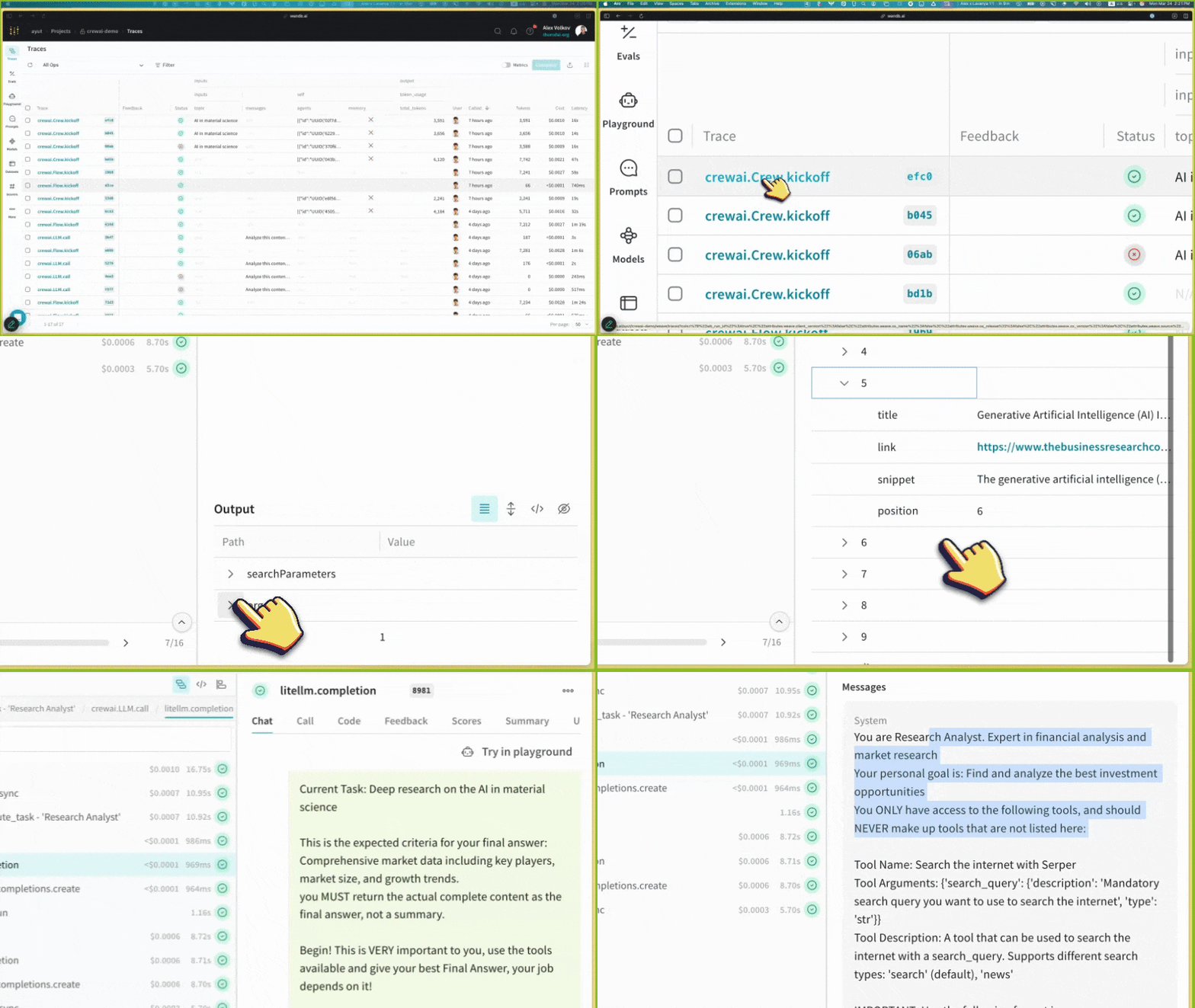
Weave provides comprehensive support for every stage of your CrewAI application development:
- Tracing & Monitoring: Automatically track LLM calls and application logic to debug and analyze production systems
- Systematic Iteration: Refine and iterate on prompts, datasets, and models
- Evaluation: Use custom or pre-built scorers to systematically assess and enhance agent performance
- Guardrails: Protect your agents with pre- and post-safeguards for content moderation and prompt safety
Weave automatically captures traces for your CrewAI applications, enabling you to monitor and analyze your agents’ performance, interactions, and execution flow. This helps you build better evaluation datasets and optimize your agent workflows.
Setup Instructions
Install required packages
Initialize Weave in Your Application
Add the following code to your application:import weave
# Initialize Weave with your project name
weave.init(project_name="crewai_demo")
After initialization, Weave will provide a URL where you can view your traces and metrics. Create your Crews/Flows
from crewai import Agent, Task, Crew, LLM, Process
# Create an LLM with a temperature of 0 to ensure deterministic outputs
llm = LLM(model="gpt-4o", temperature=0)
# Create agents
researcher = Agent(
role='Research Analyst',
goal='Find and analyze the best investment opportunities',
backstory='Expert in financial analysis and market research',
llm=llm,
verbose=True,
allow_delegation=False,
)
writer = Agent(
role='Report Writer',
goal='Write clear and concise investment reports',
backstory='Experienced in creating detailed financial reports',
llm=llm,
verbose=True,
allow_delegation=False,
)
# Create tasks
research_task = Task(
description='Deep research on the {topic}',
expected_output='Comprehensive market data including key players, market size, and growth trends.',
agent=researcher
)
writing_task = Task(
description='Write a detailed report based on the research',
expected_output='The report should be easy to read and understand. Use bullet points where applicable.',
agent=writer
)
# Create a crew
crew = Crew(
agents=[researcher, writer],
tasks=[research_task, writing_task],
verbose=True,
process=Process.sequential,
)
# Run the crew
result = crew.kickoff(inputs={"topic": "AI in material science"})
print(result)
View Traces in Weave
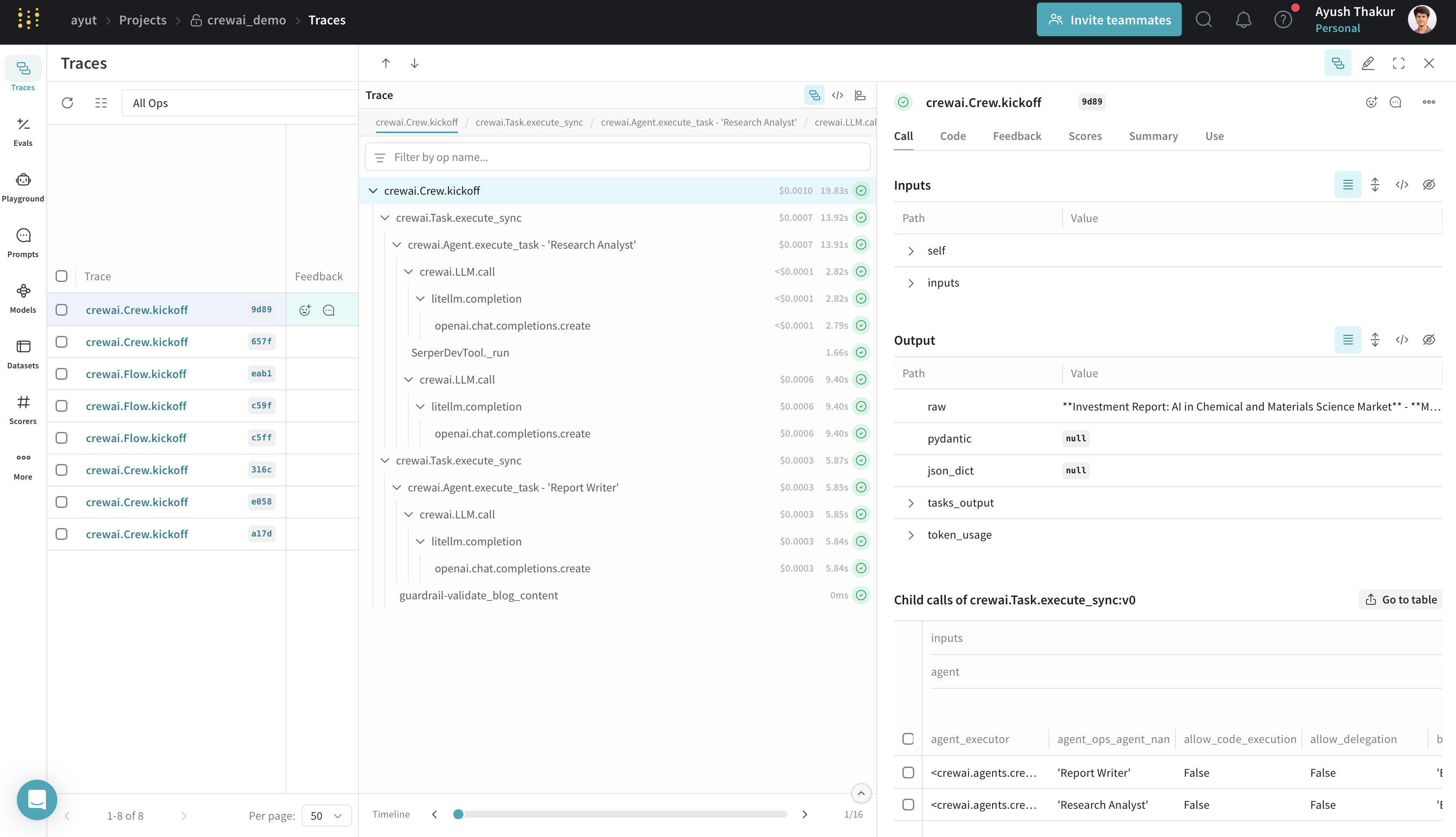
After running your CrewAI application, visit the Weave URL provided during initialization to view:
- LLM calls and their metadata
- Agent interactions and task execution flow
- Performance metrics like latency and token usage
- Any errors or issues that occurred during execution
Features
- Weave automatically captures all CrewAI operations: agent interactions and task executions; LLM calls with metadata and token usage; tool usage and results.
- The integration supports all CrewAI execution methods:
kickoff(), kickoff_for_each(), kickoff_async(), and kickoff_for_each_async().
- Automatic tracing of all crewAI-tools.
- Flow feature support with decorator patching (
@start, @listen, @router, @or_, @and_).
- Track custom guardrails passed to CrewAI
Task with @weave.op().
For detailed information on what’s supported, visit the Weave CrewAI documentation.
Resources