
Prerequisites
CrewAI AMP account
Your organization must have an active CrewAI AMP account.
OpenTelemetry collector
You need an OpenTelemetry-compatible collector endpoint (e.g., your own OTel Collector, Datadog, Grafana, or any OTLP-compatible backend).
Setting up a collector
- In CrewAI AMP, go to Settings > OpenTelemetry Collectors.
- Click Add Collector.
- Select an integration:
- OpenTelemetry Traces and OpenTelemetry Logs — export to any OTLP-compatible collector or backend.
- Datadog — send traces straight to Datadog’s OTLP intake, no separate collector or Datadog Agent required.
- Configure the connection. The fields depend on the integration you selected:
- OpenTelemetry Traces / Logs
- Datadog
OpenTelemetry Traces and OpenTelemetry Logs are separate integrations that share the same fields — pick the one matching the signal you want to export.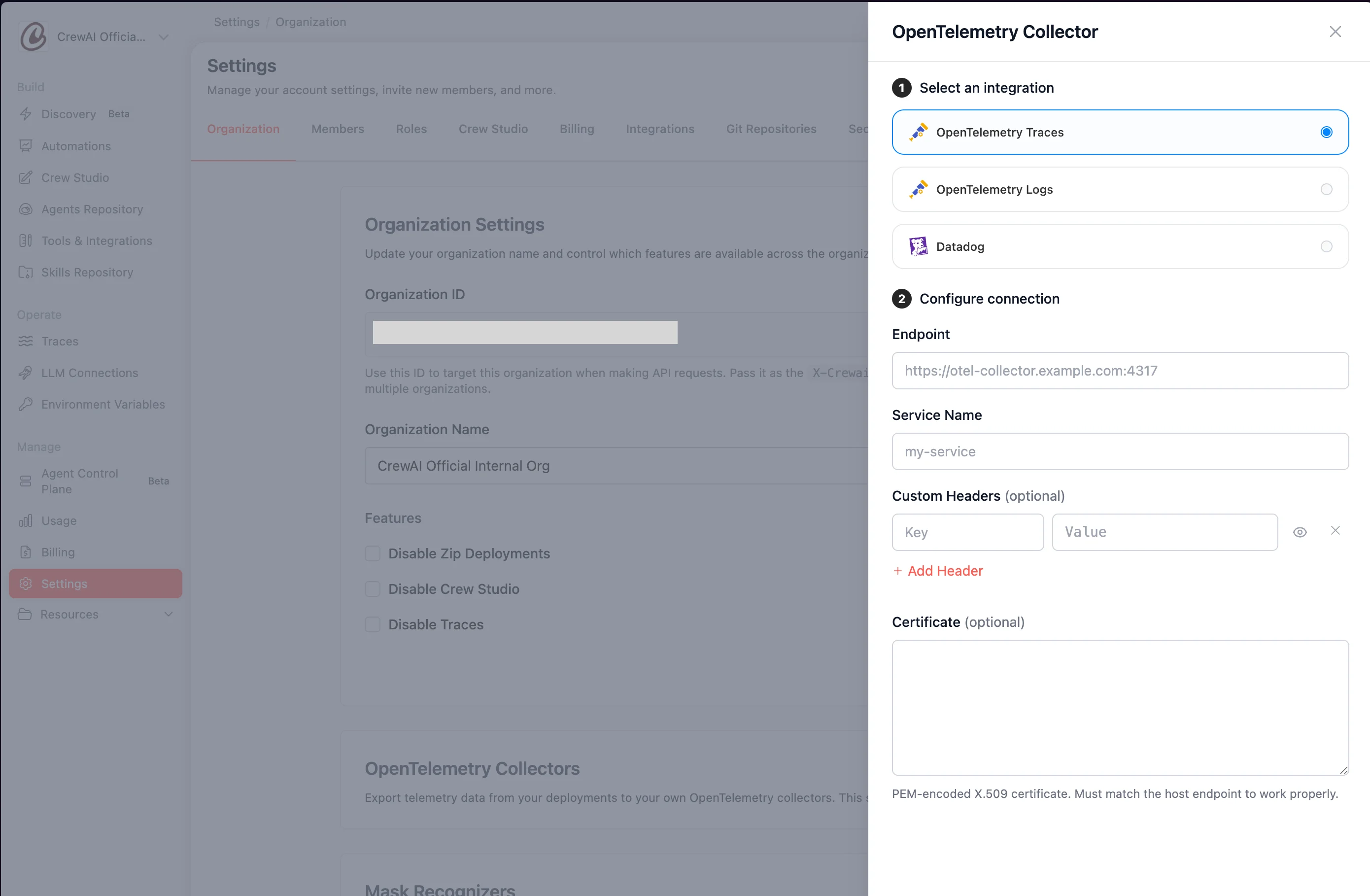
- Endpoint — Your collector’s OTLP endpoint (e.g.,
https://otel-collector.example.com:4317). - Service Name — A name to identify this service in your observability platform.
- Custom Headers (optional) — Add authentication or routing headers as key-value pairs.
- Certificate (optional) — Provide a TLS certificate if your collector requires one.
- (optional) Click Test Connection to verify CrewAI can reach the endpoint with the credentials you provided.
- Click Save.